
 Polski
  Deutsch
  Español
  Français
  Italiano
  Português
  Nederlands
  Svenska
  Українська
  Русский
 Digital Recipe Organization: 2026 Guide to a Clean Kitchen
Stop losing recipes! Learn how to organize recipes digitally with our 2026 guide. Transform your chaotic saves into a smart, searchable digital cookbook.

Your "Saved" folder on Instagram isn't a library. It is a graveyard where great dinner ideas go to die. We have all felt that frantic energy of scrolling through a camera roll in the grocery aisle, trying to find one specific screenshot among a thousand photos. It is exhausting. You want to cook, not manage a database. Digital clutter shouldn't stand between you and a great meal.
Learning how to organize recipes digitally shouldn't take longer than the actual meal prep. You deserve a system that works as fast as you scroll. This guide will show you how to transform your chaotic collection of social media saves into a streamlined, searchable digital cookbook. We are moving past the "screenshot graveyard" for good.
We will explore how to use a recipe saver app to do the heavy lifting for you. Discover how to extract ingredients automatically from any link and turn a 15-second video into a clear, text-based recipe. It is time to clear the noise and bring some tranquility back to your kitchen.
Key Takeaways
- Stop losing inspiration in the "screenshot graveyard" by identifying why standard social media saving methods fail your long-term kitchen goals.
- Discover how to organize recipes digitally by auditing your current digital clutter and centralizing it into a single, searchable library.
- Move beyond static notes with AI tools that extract ingredients and instructions from TikTok or Instagram videos in seconds.
- Create a seamless workflow that connects your saved inspiration directly to a smart meal planner and automated grocery list.
- Master the art of hands-free cooking with specialized modes that keep your mobile screen clean and your focus on the food.
Why Your Current Recipe Saving Method is Failing You
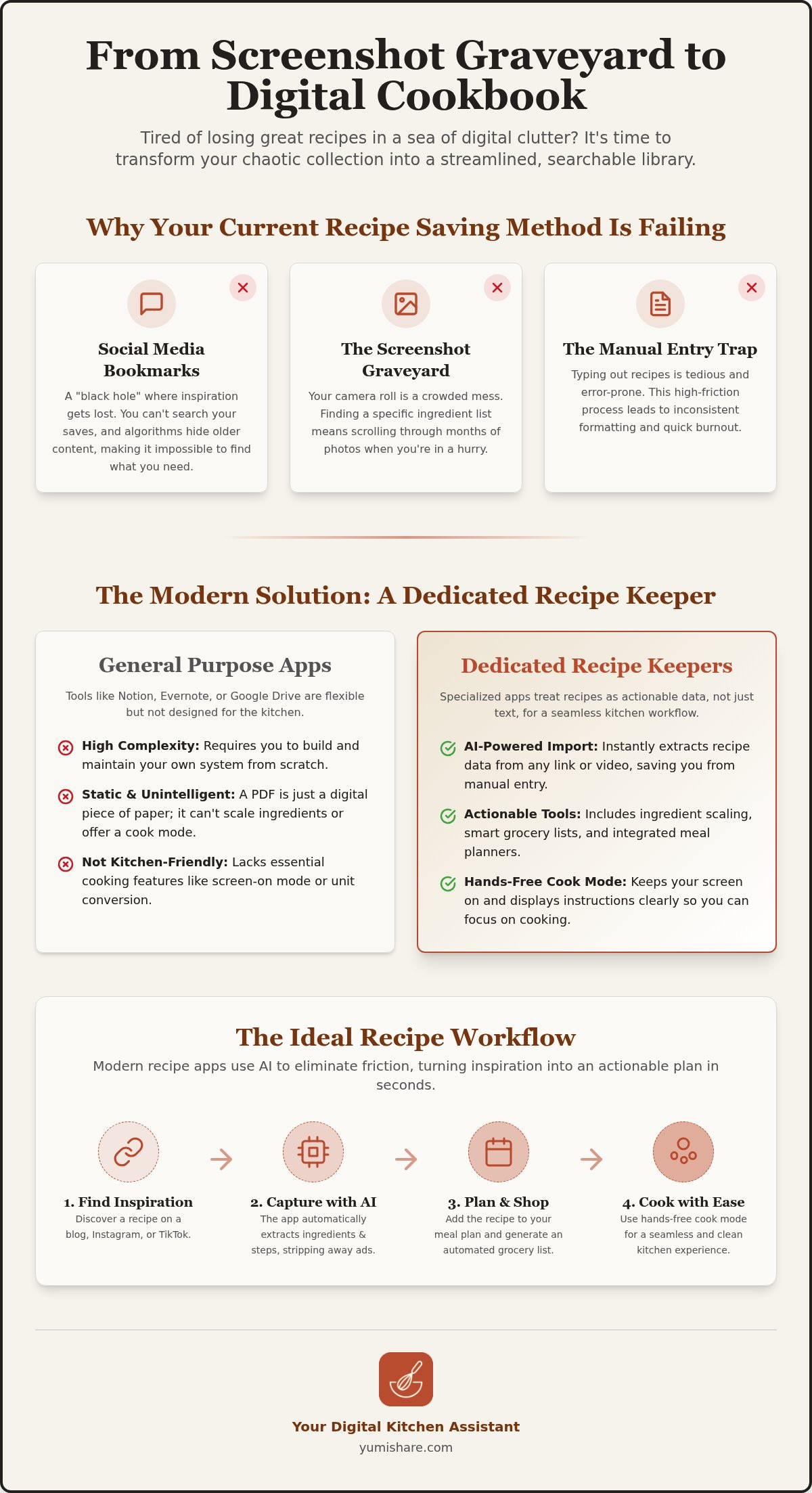
Your camera roll is likely a crowded mess of culinary intentions. You see a vibrant pasta dish on your feed, tap a button, and then forget it exists within minutes. This is the "Screenshot Graveyard." It's a place where inspiration goes to die because the friction of retrieval is too high. When you're hungry and tired, you won't scroll through three months of photos to find one specific ingredient list. You'll just order takeout. This cycle of passive saving creates digital clutter without providing any real-world value. Understanding how to organize recipes digitally requires looking at why these old habits fail.
The Problem with Social Media Bookmarks
Instagram and TikTok are built for discovery, not utility. Their "Saved" folders are black holes. You can't search for "gluten-free" or "30-minute meals" within your own saves. Over time, algorithms hide your older bookmarks, making them virtually impossible to find. While a 15-second video is perfect for a quick spark of inspiration, it's a nightmare to follow while your hands are covered in flour. You need a text-based plan, not a looping video you have to pause every five seconds with messy fingers.
The "Manual Entry" Trap
Many people try to fix this by creating manual digital binders in Word or Google Docs. It feels organized at first, but it quickly leads to burnout. Typing out ingredients from a blog post is a tedious waste of time. One typo in a measurement can ruin an entire meal. If the process of saving a recipe takes longer than five minutes, you won't stick with it. Friction is the enemy of organization. Manual transcription often results in:
- Missed steps that lead to kitchen disasters.
- Inconsistent formatting that's hard to read on a mobile screen.
- Total organizational burnout after just a few weeks of effort.
The shift in 2026 is moving away from these manual, passive methods. We're entering an era of active, AI-assisted management. The goal is no longer just to save a link. The goal is to transform that link into an actionable tool instantly. Knowing how to organize recipes digitally today means using technology that does the heavy lifting for you. Your system should act as a filter that removes the noise and leaves only what's useful. It's time to bridge the gap between that first spark of social media inspiration and the final execution on your stove.
Choosing the Best Way to Organize Recipes Digitally
Selecting the right platform is the first real step in learning how to organize recipes digitally. You need a tool that matches your kitchen workflow. General note-taking apps like Notion or Evernote offer infinite flexibility. You can build custom databases and tag every entry. However, that flexibility often leads to complexity. You spend more time building templates than you do cooking. These apps weren't built for the kitchen; they don't know the difference between a project deadline and a preheated oven.
Cloud storage options like Google Drive or Dropbox are excellent for long-term storage. They handle PDFs and scanned images well. But they are static. A PDF is just a digital piece of paper. It won't scale ingredients for you, and it won't help you find "chicken" if the file is named "Dinner_Scan_01." It is a digital filing cabinet, not a functional tool. Specialized recipe managers bridge this gap by focusing on the unique needs of a home cook.
General Purpose Apps vs. Dedicated Recipe Keepers
A generic document treats your recipe as a block of text. A dedicated recipe keeper alternative treats it as actionable data. This distinction is vital for kitchen utility. Specialized apps offer ingredient scaling, allowing you to double a recipe with one tap. They also feature a dedicated Cook Mode. This keeps your screen bright and active, preventing you from having to tap your phone with greasy fingers to wake it up. It transforms a list of words into a step-by-step guide.
The Role of AI in 2026 Recipe Management
AI has completely redefined how to organize recipes digitally. It removes the tedious "clipping" process that used to involve copy-pasting from food blogs. Modern AI identifies ingredients and instructions instantly. It strips away the long-winded stories and ads, leaving you with just the facts. This automation extends to social media as well. AI can now extract a clean, text-based recipe from a raw video or a messy caption. It even handles the mental load of categorization by automatically tagging your saves with labels like "High Protein" or "Under 30 Minutes."
If you are ready to stop managing files and start enjoying your meals, consider a recipe saver app that handles the data entry for you. Look for features like cross-device sync and offline access to ensure your library is always ready, even when the Wi-Fi is spotty.
Step-by-Step: How to Build Your Digital Cookbook
Building a digital library starts with a simple audit of your current "piles." You likely have recipes scattered across three different social apps, a dedicated folder in your photos, and perhaps a few physical notes tucked into a kitchen drawer. Consolidating these sources is the first step in mastering how to organize recipes digitally. Start by moving your most-used screenshots into your chosen app first. Don't try to move everything at once; focus on the meals you actually cook every week to build immediate momentum.
The "Share to" workflow is your most powerful tool for capturing new inspiration. Instead of hitting the "Save" button on Instagram or TikTok, use the share icon to send the link directly to your recipe saver. This action triggers the AI to begin its work. It extracts the data immediately, turning a fleeting digital spark into a permanent record. This method ensures that every new discovery lands in the same central location, preventing the return of digital clutter.
Capturing Content from TikTok and Instagram
Video content is notoriously difficult to follow while cooking. Using the best app for saved recipes allows you to extract text directly from Reels and TikToks. You get a clean list of ingredients and steps without having to rewatch a 60-second loop ten times. This also works for YouTube Shorts and Pinterest pins. You keep the original source link for reference, but your primary interface becomes a clean, readable text layout designed for the kitchen.
Standardizing your format is essential for a stress-free experience. When AI imports a recipe, it strips away the ads and personal stories. However, you should always perform a quick verification. Check the ingredient measurements and serving sizes to ensure the AI captured the nuances of the original post. This thirty-second check prevents errors and ensures your digital cookbook is a reliable resource for years to come.
Organizing with Tags and Collections
Once your recipes are imported, use tags to create "Smart Folders." Instead of rigid categories, use tags like "15-minute," "Kid-friendly," or "High Protein." This makes your library searchable and flexible. If you have a large collection of visual ideas on other platforms, a pinterest recipe importer can help sync those pins directly into your organized system. This keeps your visual boards in sync with your actionable cooking plan.
Develop a "Rate and Review" habit to keep your library healthy. After you cook a meal, give it a star rating and add a quick note about any substitutions you made. This ensures that you only keep the winners in your digital box. Knowing how to organize recipes digitally isn't just about saving more; it's about curating a collection of meals that your family actually loves to eat.
Making Your Organized Recipes Actionable
A library of recipes is only as good as the meals it produces. If your collection sits untouched, it is just digital dust. True mastery of how to organize recipes digitally means turning that data into a concrete plan. Linking your saved inspiration directly to a calendar removes the "what's for dinner" decision fatigue. It transforms your digital cookbook from a static archive into a living kitchen assistant. You don't just want to save recipes; you want to cook them.
Automated Meal Planning
Modern kitchen management is shifting toward automation. A meal planning app can now analyze your most-cooked recipes to suggest a balanced weekly menu. This trend is about more than just filling slots on a calendar. It is about variety. By rotating your favorites with new social media discoveries, you keep your kitchen experience fresh without the mental load of manual scheduling. Map out your week in seconds, not hours.
Smart Grocery Lists
The biggest friction point in cooking is the grocery run. You can now generate a meal planner with grocery list in a single click. This system consolidates ingredients from multiple recipes into one organized list. It handles the tedious sorting for you by grouping items by category:
- Produce: Fresh herbs, greens, and vegetables.
- Dairy: Milks, cheeses, and butter.
- Pantry: Spices, oils, and dry grains.
This prevents you from zigzagging across the store. A smart list also helps you check your current inventory, reducing food waste and saving money on items you already have in the back of the cupboard. Use the "check-off" system to ensure you never miss a vital spice again. It is a simple way to bring tranquility to an otherwise frantic chore.
Collaboration is the final piece of the puzzle. Share your digital cookbook with family members or roommates to sync your planning efforts. When everyone can see the schedule and the shopping list, the burden of managing the home becomes a shared, transparent task. It brings a sense of domestic tranquility to the daily rush. If you are ready to simplify your routine, start building your smart grocery list today and see the difference a streamlined workflow makes.
The Future of Cooking: YumiShare as Your Digital Kitchen Assistant
YumiShare bridges the final gap between digital inspiration and kitchen execution. It's more than just a place to store files; it's a proactive assistant that manages your entire culinary workflow. By centralizing your Save, Plan, Shop, and Cook phases, it removes the friction that usually leads to organizational burnout. This is the ultimate answer to how to organize recipes digitally in a way that actually lasts. Whether you're on your phone at the store or using a laptop to plan your week, your entire library stays in perfect sync across iOS, Android, and the web. It acts as a filter for the digital noise of social media, leaving you with only the joy of a well-prepared meal.
The real magic happens when the stove is on. Most tools leave you hanging once you start chopping, but the cook mode for mobile recipes changes the game. This feature keeps your screen active and bright, so you never have to tap it with messy, flour-covered fingers. It transforms a static list of instructions into a dynamic guide that moves at your pace. No more squinting at small text or fighting with an auto-locking screen while your garlic is browning.
Hands-Free Cooking & Video Sync
Following a viral Reel while cooking is usually a struggle. YumiShare solves this with a synced mini-player that lets you watch the original video alongside the text-based instructions. This dual-view ensures you never miss a visual cue or a specific technique. Use simple voice commands to navigate between steps without touching your device. If you're cooking for a crowd, the app automatically scales ingredient measurements instantly. It's precision and convenience in one interface, designed for the way we actually cook in 2026.
Getting Started with YumiShare
Starting your journey is effortless. The one-click import feature turns a raw Instagram link into a formatted recipe in under five seconds. It's the fastest way to clear out your "Saved" folders and start building a library that works for you. Once your favorites are in, use the integrated meal planner to map out your first week. You'll feel the immediate relief of having a clear path from discovery to dinner. It's time to rescue your saved recipes from the graveyard of your camera roll. Download YumiShare today and reclaim your kitchen tranquility.
Step Into Your Streamlined Kitchen
You have already taken the first step by recognizing that a "screenshot graveyard" is holding you back. Transitioning from scattered bookmarks to a centralized system brings a profound sense of domestic tranquility. By learning how to organize recipes digitally, you move from the frantic energy of digital consumption to the grounded satisfaction of a well-ordered home. You don't need more inspiration; you need a better way to execute it.
YumiShare handles the heavy lifting of data entry for you. It uses AI extraction to pull ingredients and instructions from TikTok, Instagram, and Pinterest in seconds. You get the benefit of smart meal planning and grocery lists that prevent waste and save time at the store. When you are finally ready to cook, the hands-free Cook Mode keeps your mobile screen active and your focus on the food. It is the bridge between a viral video and a successful dinner.
It is time to turn your digital sparks into physical results. Reclaim your mental space and your kitchen counters today. Start Organizing Your Digital Cookbook with YumiShare and experience the relief of a truly clean kitchen. You deserve a partner that values your time and your peace of mind.
Frequently Asked Questions
What is the best way to organize recipes digitally for free?
Use general note-taking apps like Google Keep or Notion for a free solution. These tools allow you to paste links and add basic tags without a subscription. They lack kitchen-specific features like ingredient scaling, but they offer a solid start. Focus on a consistent naming convention. This is a simple way to learn how to organize recipes digitally. Find your favorite meals through a quick keyword search on any device.
How do I save a recipe from a TikTok video without screenshots?
Use a dedicated recipe saver app that supports video link extraction. Copy the link from the TikTok "Share" menu. Paste it into the app. The AI identifies ingredients and instructions instantly. This creates a clean, text-based version of the recipe. No more pausing looping videos. No more cluttered camera rolls. It is a streamlined path from inspiration to execution. Just one link and your recipe is ready.
Can I import recipes from Instagram directly into an app?
Import recipes directly by using the "Share" function on an Instagram post. Send the link to a compatible recipe manager. Don't just save it to a folder. The app extracts the culinary data immediately. This turns a visual post into an actionable tool. It bridges the gap between social media and your stove. No manual typing required. Just one tap and you are ready to cook your next meal.
How do I convert my physical cookbooks into a digital format?
Use a mobile scanning app or the OCR features in your recipe manager. Take a clear photo of the cookbook page. The software converts the image into editable text. Digitizing your favorites makes them searchable and portable. Tag these recipes for easy access later. This preserves your physical collection while making it as accessible as a blog post. Bring your traditional recipes into the modern age with ease.
Is there an app that creates a grocery list from my saved recipes?
YumiShare generates smart grocery lists directly from your saved recipes. It analyzes ingredients from multiple meals. It consolidates them into a single, aisle-sorted list. This automation prevents duplicates. It ensures you have every item for your weekly plan. Manage your household inventory with ease. This tool turns your digital organization into a practical strategy. Stop guessing at the store. Start shopping with total clarity and confidence.
How do I organize recipes so they are searchable by ingredient?
Dedicated apps make your library searchable by specific ingredients. This is a major benefit when you learn how to organize recipes digitally. Unlike a photo, a digital database indexes every word. Type "spinach" into the search bar. See every dish that uses it. This feature reduces food waste. It helps you use items already in your pantry. Find a meal for whatever is left in your fridge without any stress.
What happens if a website with my saved recipe goes offline?
Saving recipes to a personal digital library protects you from broken links. Most apps create a local copy of the text and images. You can still access instructions if the original blog is deleted. It ensures your collection is permanent. Don't worry about servers going down. Your favorite meals stay with you. It is a reliable way to build a legacy of recipes that never disappears from your digital home.
Can I share my digital recipe collection with my partner?
Most modern recipe managers offer collaborative sharing. Invite your partner to a shared folder. Sync your entire library with their account. This allows both of you to add new discoveries. Edit existing steps together. View the same meal plan in real time. It simplifies the domestic workload. Collaborative access ensures everyone is ready for grocery shopping. Dinner preparation becomes a shared, stress-free task for the whole home and family.
FAQ
What is the best way to organize recipes digitally for free?
Use general note-taking apps like Google Keep or Notion for a free solution. These tools allow you to paste links and add basic tags without a subscription. They lack kitchen-specific features like ingredient scaling, but they offer a solid start. Focus on a consistent naming convention. This is a simple way to learn how to organize recipes digitally. Find your favorite meals through a quick keyword search on any device.
How do I save a recipe from a TikTok video without screenshots?
Use a dedicated recipe saver app that supports video link extraction. Copy the link from the TikTok "Share" menu. Paste it into the app. The AI identifies ingredients and instructions instantly. This creates a clean, text-based version of the recipe. No more pausing looping videos. No more cluttered camera rolls. It is a streamlined path from inspiration to execution. Just one link and your recipe is ready.
Can I import recipes from Instagram directly into an app?
Import recipes directly by using the "Share" function on an Instagram post. Send the link to a compatible recipe manager. Don't just save it to a folder. The app extracts the culinary data immediately. This turns a visual post into an actionable tool. It bridges the gap between social media and your stove. No manual typing required. Just one tap and you are ready to cook your next meal.
How do I convert my physical cookbooks into a digital format?
Use a mobile scanning app or the OCR features in your recipe manager. Take a clear photo of the cookbook page. The software converts the image into editable text. Digitizing your favorites makes them searchable and portable. Tag these recipes for easy access later. This preserves your physical collection while making it as accessible as a blog post. Bring your traditional recipes into the modern age with ease.
Is there an app that creates a grocery list from my saved recipes?
YumiShare generates smart grocery lists directly from your saved recipes. It analyzes ingredients from multiple meals. It consolidates them into a single, aisle-sorted list. This automation prevents duplicates. It ensures you have every item for your weekly plan. Manage your household inventory with ease. This tool turns your digital organization into a practical strategy. Stop guessing at the store. Start shopping with total clarity and confidence.
How do I organize recipes so they are searchable by ingredient?
Dedicated apps make your library searchable by specific ingredients. This is a major benefit when you learn how to organize recipes digitally. Unlike a photo, a digital database indexes every word. Type "spinach" into the search bar. See every dish that uses it. This feature reduces food waste. It helps you use items already in your pantry. Find a meal for whatever is left in your fridge without any stress.
What happens if a website with my saved recipe goes offline?
Saving recipes to a personal digital library protects you from broken links. Most apps create a local copy of the text and images. You can still access instructions if the original blog is deleted. It ensures your collection is permanent. Don't worry about servers going down. Your favorite meals stay with you. It is a reliable way to build a legacy of recipes that never disappears from your digital home.
Can I share my digital recipe collection with my partner?
Most modern recipe managers offer collaborative sharing. Invite your partner to a shared folder. Sync your entire library with their account. This allows both of you to add new discoveries. Edit existing steps together. View the same meal plan in real time. It simplifies the domestic workload. Collaborative access ensures everyone is ready for grocery shopping. Dinner preparation becomes a shared, stress-free task for the whole home and family.