
 Polski
 Deutsch
 Español
 Français
 Italiano
 Português
 Nederlands
 Svenska
 Українська
 Русский
Recipe saver · Meal planner · Grocery lists
Save recipes from Instagram & TikTok.
Plan meals. Shop smarter.
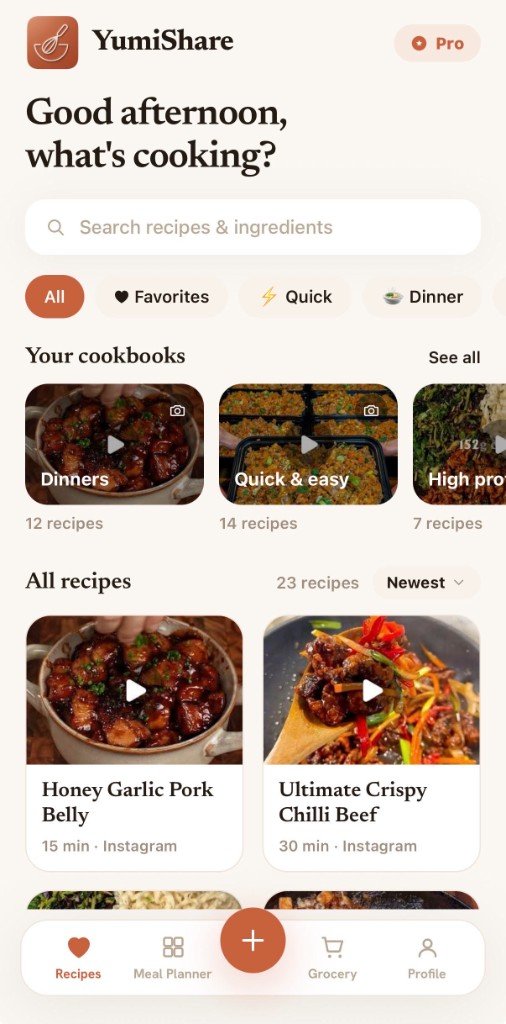
Paste a link from Instagram, TikTok, Pinterest, YouTube, Facebook, a food blog or any website, snap a photo, or type it in — YumiShare is your recipe keeper that turns it into a clean, beautiful recipe. Then plan your week and build a grocery list with one tap.
Free to start · English & Polski · Light & dark mode
Import recipes from the places you already scroll
- TikTok
- YouTube
- Food blogs
- Any website
A quick tour
From a link to dinner on the table.
Scroll to see how YumiShare works, step by step.
Scanning
Screenshot coming soon
-
01
Import recipes
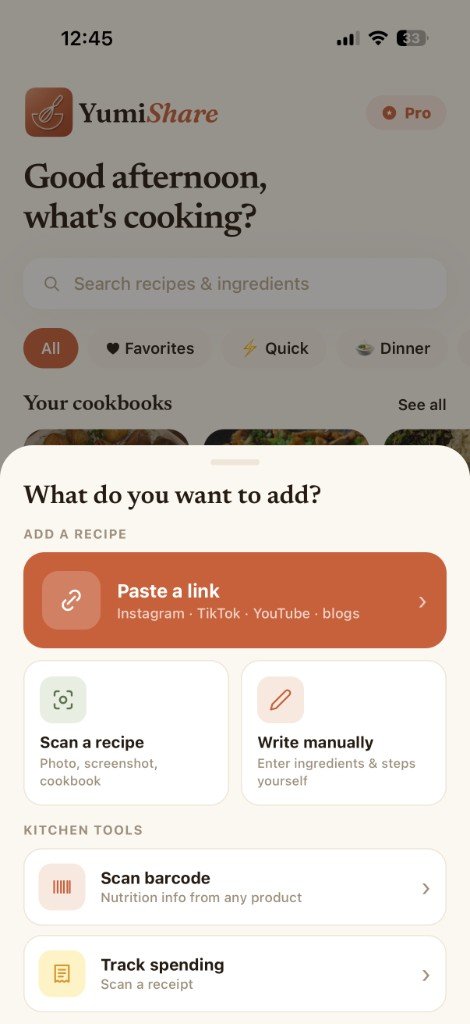
The heart of the app — get any recipe in seconds from Instagram, TikTok, Pinterest, blogs and more.
- From any link — blogs, Instagram, TikTok, Pinterest, YouTube, Facebook, Threads. AI pulls out the title, ingredients, steps, time, servings and photo.
- Straight from the Share sheet — pick YumiShare in Instagram/TikTok and the recipe saves itself (iOS share extension).
- Scan a recipe from a photo or screenshot — AI reads it off the image.
- Add a recipe by hand, from scratch.
- Preview & edit before saving — fix the title, servings, time, ingredients (grouped into sections), steps, categories and cover.
- Covers from the post, camera, gallery or a ready-made theme; remote photos are re-hosted permanently, so they never expire.
- Duplicate detection warns you when you already have a recipe.
- AI enrichment fills in nutrition and category. Free imports to start, then a plan.
-
02
Library & collections
Everything you save, tidy and easy to find.
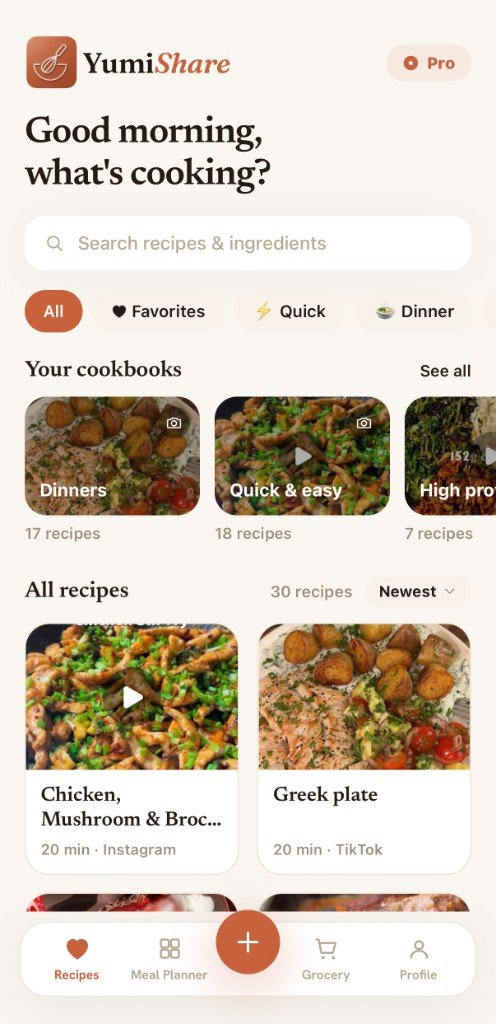
- Cookbooks to group your recipes.
- Favorites, filters (All, Favorites, Quick, Dinner…), search and sorting.
- Recipe counts and sync across your devices.
-
03
Recipe details
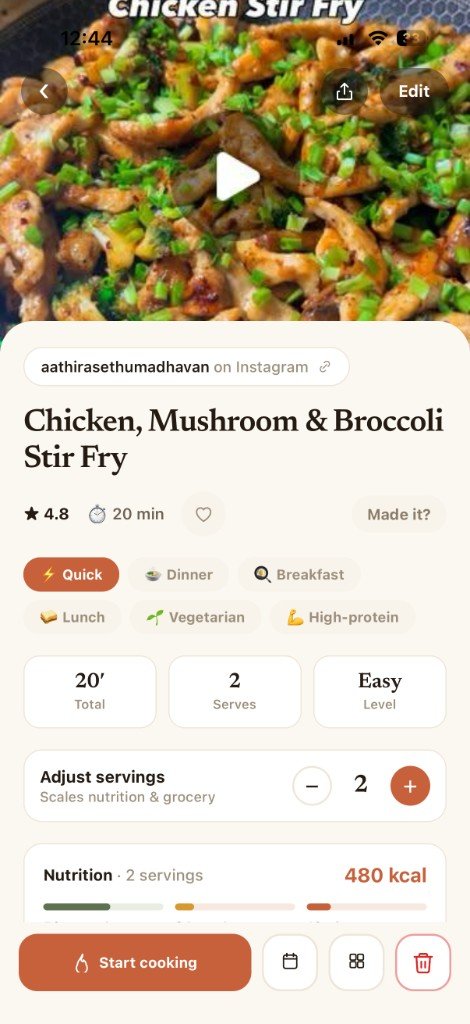
A clean, useful view of every recipe.
- Serving scaling — ingredient amounts recalculate automatically.
- Nutrition per serving — calories plus macros (protein / carbs / fat) on bars.
- Rating, tags/categories, time and difficulty (from the time).
- Add to the shopping list and to your meal plan.
-
04
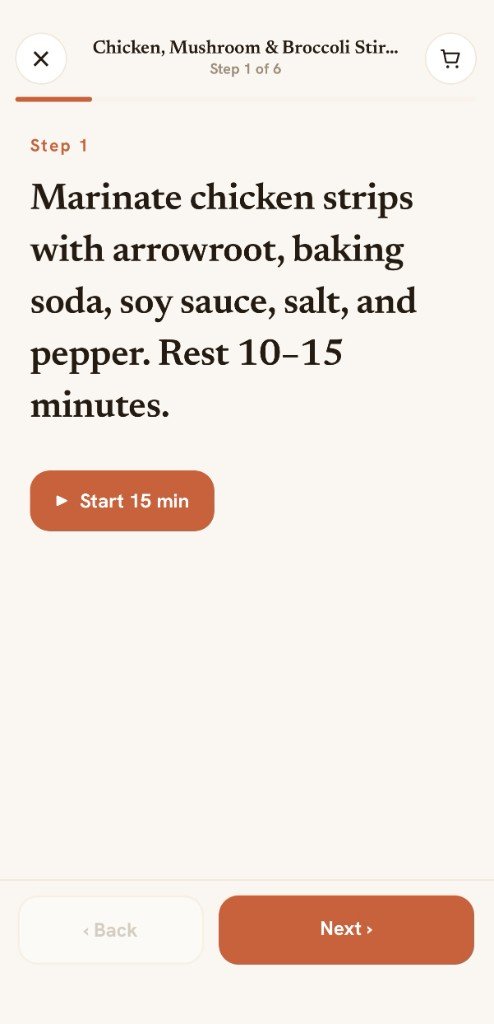
Cook mode
Hands-free, distraction-free cooking.
- Step by step in a big, readable view.
- Timers inside steps (start/stop, with a done notification).
- Cook along with the original video — recipes saved from social keep their clip, so you can watch and cook at the same time.
- Previous/next navigation — and no ads, no life stories.
-
05
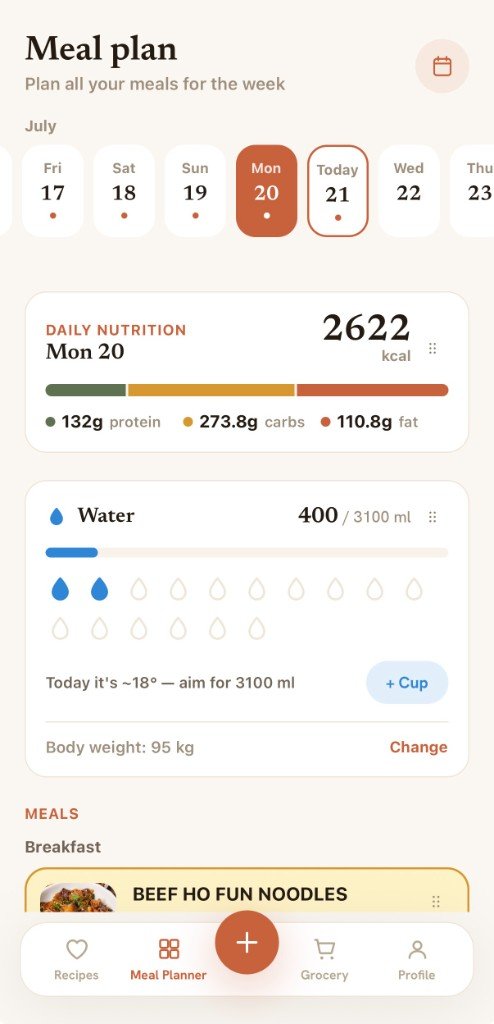
Meal planner
Know what's for breakfast, lunch and dinner.
- Weekly plan — breakfast / lunch / dinner.
- Daily nutrition summary and macros for planned meals.
- Copy a day to the next with one tap.
- Calendar view and pick recipes from your library.
- Meal reminders (notifications with a configurable lead time).
-
06
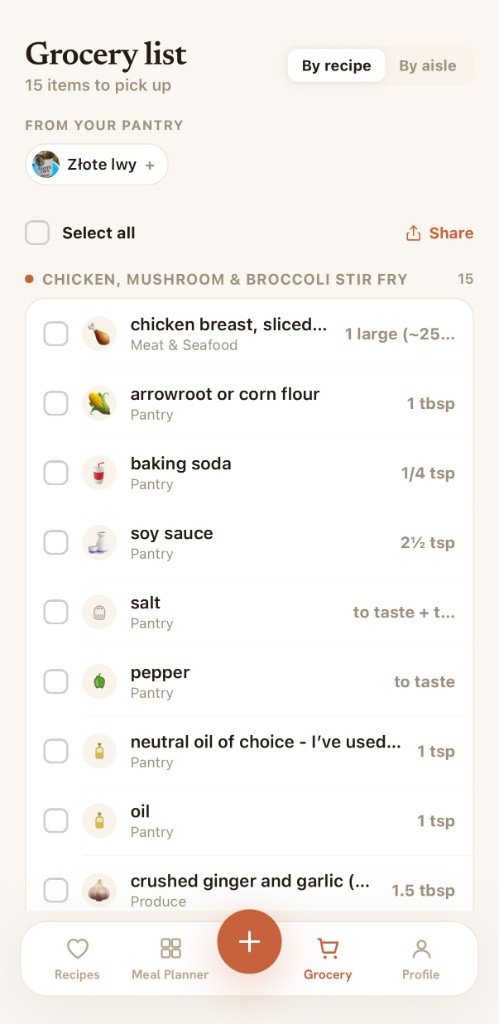
Shopping lists & pantry
Shop smart and waste less.
- Auto list from recipes/plan — ingredients consolidated and grouped by store aisle.
- "By aisle" and "by recipe" views, check off / cart, swipe to delete, clear.
- Share the list with a beautiful share card.
- Pantry — what you have at home, "running low / OK" status, matching to recipes (what's missing), add from the list.
-
07
Scanning (camera / AI)
Point your camera and let AI do the reading.
- Scan a product barcode → nutrition facts (Open Food Facts).
- Scan a nutrition label from a photo.
- Scan receipts → AI reads the store, amount, tax and date; expense tracking, search, date filter, receipt export and photo kept.
Made for real kitchens.
Beyond the step-by-step — the things that make YumiShare a joy to use every day.
No ads, no clutter
Clean recipes and a focused cook mode. When a recipe comes from social, you still get the original video — just without the ads or the life stories.
Free forever, Premium when you want
Your cookbook, planner and grocery lists are free for good. Go Premium for unlimited AI imports and scanning.
Made to be lived in
A warm, calm design with full light and dark modes — in English and Polski.
Three steps to
a calmer kitchen.
Save
Import links, scan photos, or add your own recipes. They all land in one tidy cookbook.
Plan
Pick what you'll cook this week. YumiShare builds the grocery list for you.
Cook
Follow clear, step-by-step instructions — no ads, no life stories, just the recipe.
FAQ
Questions about the
recipe saver app.
Everything you need to know about saving recipes, meal planning and grocery lists with YumiShare.
How do I save recipes from TikTok with YumiShare?
Open any TikTok cooking video, tap Share, and choose YumiShare — or paste the link in the app. AI extracts the title, ingredients, steps, time, servings and photo into a clean recipe you can edit and save.
How do I save recipes from Instagram Reels?
On an Instagram Reel or post, tap Share and pick YumiShare from the iOS share sheet, or paste the Instagram link in the app. YumiShare turns the post into a structured recipe with ingredients and step-by-step instructions.
Is YumiShare a recipe keeper and meal planner app?
Yes. YumiShare is a recipe saver and recipe organizer that also includes a weekly meal planner, smart grocery lists, pantry tracking and a distraction-free cook mode — so you can go from a saved link to dinner in one app.
Where can I import recipes from with YumiShare?
YumiShare imports recipes from Instagram, TikTok, Pinterest, YouTube, Facebook, Threads, food blogs and almost any website. Paste a link or use the iOS Share sheet. You can also scan a recipe from a photo or screenshot, or add one by hand.
Does YumiShare create a grocery list from my meal plan?
Yes. Add recipes to your weekly meal plan and YumiShare builds a shopping list automatically — ingredients are consolidated and grouped by store aisle so you shop faster and waste less.
Is YumiShare free?
Yes. Your cookbook, meal planner and grocery lists are free forever. Premium unlocks unlimited AI imports and scanning when you need more.
Can I scan recipes from photos or screenshots?
Yes. Point your camera at a cookbook page, handwritten card or screenshot — YumiShare's AI reads the recipe and turns it into an editable, searchable entry in your library.
Does YumiShare have a cook mode?
Yes. Cook mode shows large, step-by-step instructions with timers, so you can cook hands-free without ads or distractions. Recipes saved from social can keep their original video to cook along.
Is YumiShare available in Polish?
Yes. YumiShare supports English and Polski, with light and dark modes.
Is YumiShare available on Android?
YumiShare is available on iOS now. An Android version is coming soon.
Start free.
Cook more, scroll less.
Your cookbook, meal plan and grocery lists are free forever. Go Premium for unlimited AI imports and scanning.