
 Polski
  Deutsch
  Español
  Français
  Italiano
  Português
  Nederlands
  Svenska
  Українська
  Русский
 How to Save Recipes from Threads into a Real Digital Cookbook
Turn useful Threads posts, photos, videos, and links into editable recipes you can search, plan, shop for, and cook without losing the creator.
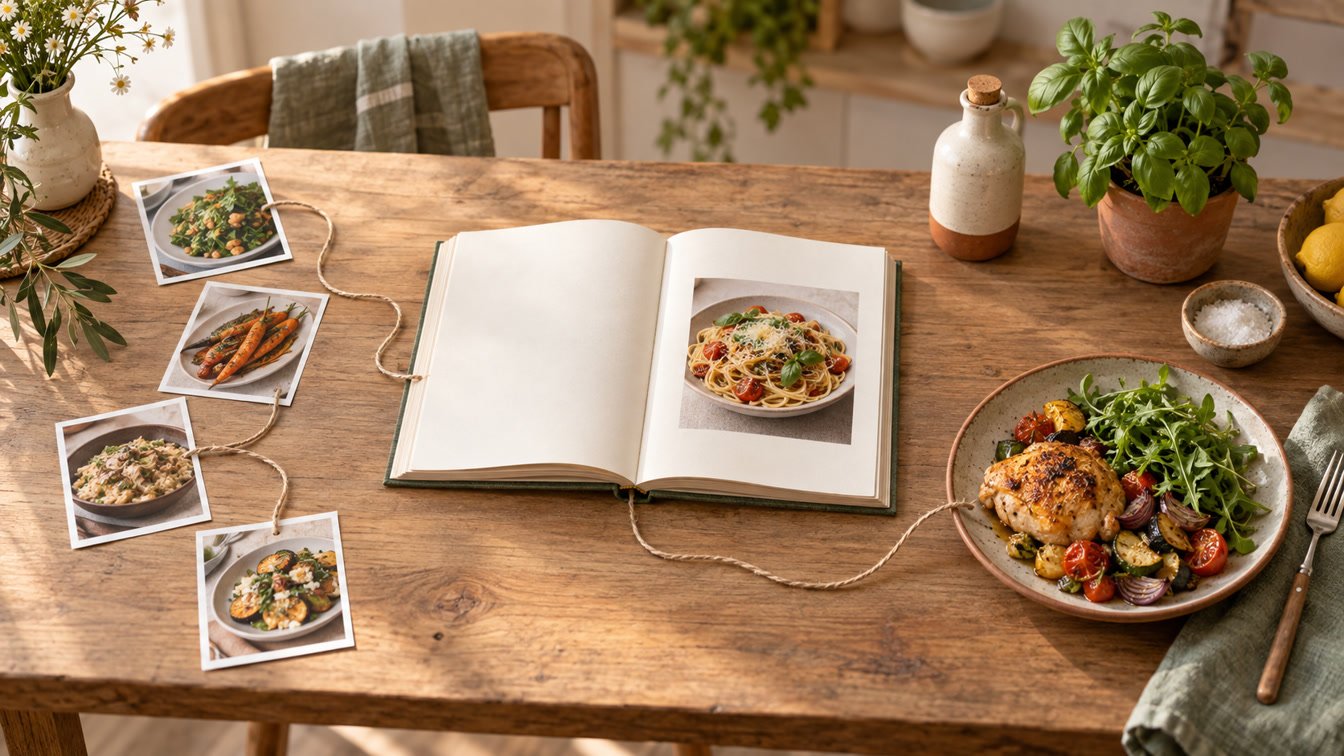
Threads is good at surfacing one useful cooking idea inside a moving conversation. It is less good at finding that idea on Wednesday evening when the pan is hot. The ingredients may be in the first post, the method in a reply, the crucial timing inside a video, and the serving size nowhere at all.
You can use the native save button, take a screenshot, or copy the text into Notes. Those methods preserve something, but they do not automatically create a recipe you can search by ingredient, add to a weekly plan, or turn into one grocery list.
The practical way to save recipes from Threads is to keep the original post as the source while converting its cooking information into editable recipe fields. YumiShare supports Threads links on iPhone and connects the saved result to a personal cookbook, meal planner, grocery lists, pantry, and Cook Mode. This guide shows the complete workflow, including what to do when a post is incomplete.
Disclosure: YumiShare publishes this guide and supports recipe imports from Threads. Threads facts were checked against current official Meta materials on September 8, 2026. YumiShare details came from its live product page. Social posts and app behavior can change. AI extraction can miss or misread quantities, units, temperatures, allergens, timings, and steps, so compare every imported recipe with the original before cooking.
Key Takeaways
- A native Threads save is a bookmark, not a recipe. It helps you return to a post but does not create structured ingredients, steps, servings, or a grocery list.
- Keep the source link. Threads posts can combine text, links, photos, and video, so the original may contain context that an extracted recipe cannot fully preserve.
- Use Share or copy the post link. Send the link to a recipe organizer such as YumiShare, then review the structured result before saving.
- Treat replies as part of the source. Creators often add substitutions, temperatures, corrections, or full instructions in follow-up posts and replies.
- A screenshot is a fallback. It is useful when the essential recipe appears in an image, but it can lose the creator, original video, updates, and surrounding conversation.
- Do not invent missing details. If servings, time, temperature, or an ingredient amount is absent, label it for testing or check with the creator instead of letting AI guess silently.
- Organize immediately. Add a clear title, source, categories, and a “needs testing” note while the post is still familiar.
- Respect the creator. A private personal copy for planning is different from republishing someone else's recipe, images, or video. Keep attribution and share the original post when recommending it.
Table of Contents
- Why Threads saved posts are not a cookbook
- What a Threads recipe can contain
- How to save recipes from Threads
- Choose the right method for each post
- Native save vs screenshot vs recipe app
- How to verify an imported recipe
- Organize, plan, shop, and cook
- What if the post is incomplete?
- Creator credit and source preservation
- Conclusion
- Frequently asked questions
Why Threads Saved Posts Are Not a Cookbook
Threads is designed for conversation. Meta's official Threads introduction describes posts that can include text, links, photos, and video, and can be shared as a link to another platform. That flexibility is why food ideas appear in so many forms.
It also creates an organization problem. One creator writes a compact ingredient list. Another links to a full food blog. A third posts a finished-dish photograph and explains the method across replies. A fourth relies on spoken instructions in a short video. All four may look like “saved recipes” in the feed, but they require different capture work.
Threads has native saved-post access, including a saved-posts column in its web experience. That is useful for collecting inspiration. It does not turn a post into a kitchen object with normalized fields, serving scaling, categories, meal-plan dates, or grocery items.
A real digital cookbook should answer practical questions:
- What is the recipe called?
- How many people does it serve?
- Which ingredients and quantities are required?
- What is the correct step order?
- Where did it come from?
- Does the source include a technique video or later correction?
- Can the ingredients join the rest of this week's shopping?
- Can you find the recipe again by dish, ingredient, or category?
If the system only remembers that you liked something, it remains a social bookmark.
What a Threads Recipe Can Contain
Before importing, identify where the actual cooking information lives.
Text in the main post
Short recipes sometimes fit inside the post. Check whether it contains both ingredients and a method. A list of foods without quantities may be an idea, not a reproducible recipe.
A link to the full recipe
The Threads post may be commentary around a food-blog or newsletter link. In that case, the linked page is usually the best structured source. Save the destination recipe and retain the Threads post as discovery context when useful.
Photos or a carousel
One image may show the dish while another contains the written recipe. A screenshot can capture the visible text, but confirm that the carousel does not continue and that the caption or replies do not contain missing instructions.
Video
The caption may name ingredients while the video demonstrates amounts, texture, heat, and timing. A clean written version is easier to shop from; the original video is better for visual technique. Keep both when the tool supports it.
A chain of posts and replies
The first post may be only the hook. Open the complete thread and look for a creator reply with measurements, substitutions, oven temperature, or a correction. Do not import the first fragment and assume the recipe is complete.
Meta has continued adding longer and more varied posting tools, including text attachments and disappearing “ghost posts,” described in its official October 2025 product update. That makes source preservation sensible: some content can change, archive, or become harder to retrieve.
How to Save Recipes from Threads in 10 Steps
1. Open the original post
Start from the creator's post, not a screenshot forwarded through a group chat. Confirm the username, date, media, caption, link, and visible replies.
2. Read the entire thread
Expand the conversation and look for follow-ups from the creator. Note whether ingredients, steps, servings, temperatures, or substitutions appear outside the first post.
3. Decide whether the post is a recipe
A beautiful photograph with “made this tonight” is not enough. If the post lacks essential amounts or method, save it as inspiration or a draft idea rather than pretending it is complete.
4. Use Share or copy the link
Open the post's sharing controls and send the link to YumiShare through the iOS Share Sheet, or copy the link and paste it into YumiShare. Meta confirms that Threads posts can be shared as links; the exact menu arrangement may change with app updates.
5. Let the app structure the source
YumiShare can turn a supported Threads source into editable recipe fields. The goal is not a transcript of every sentence. It is a useful title, servings, times, ingredient groups, quantities, steps, categories, cover, and retained source.
6. Verify the title and yield
Give the recipe a specific name you will recognize later. If the post does not state servings or yield, do not accept a confident invented number. Mark it unknown or estimate explicitly for a test cook.
7. Compare every ingredient
Check amounts, units, preparation notes, and ingredient sections against the post, images, video, and creator replies. Watch especially for teaspoons versus tablespoons, grams versus ounces, and ingredients mentioned only during the video.
8. Rebuild the step order
Confirm that the steps follow the demonstrated sequence. Add temperatures, resting time, and visual cues only when the source supports them. Preserve meaningful technique in notes or the original video instead of over-summarizing it.
9. Keep attribution and status
Retain the source link and creator name. Add a “needs testing” category when you have not cooked it yet, plus notes about substitutions or missing information.
10. Put it into the weekly loop
Add the recipe to a meal-plan slot, scale servings if needed, send its ingredients to the grocery list, remove what is already in the pantry, and cook from the verified version.
Choose the Right Method for Each Threads Post
Direct link import
Use this first when the post is public and contains enough text, images, video, or a linked recipe. It best preserves attribution and gives the importer the complete source. YumiShare explicitly supports Threads alongside Instagram, TikTok, Pinterest, YouTube, Facebook, and websites.
Import the linked website
If the creator points to a complete article, import that page instead of forcing the shorter Threads summary to behave like the full recipe. Keep a note that you discovered it on Threads if that context matters.
Screenshot or photo import
Use a screenshot when the recipe itself is presented as an image or when text selection is impractical. Crop away unrelated interface where possible, but keep a separate uncropped source for attribution. YumiShare can scan screenshots and photos into editable recipes.
Screenshots are more error-prone when text is small, low contrast, split across images, or placed over food. Our recipe import test explains why source type changes extraction quality.
Manual entry
Manual entry is the honest choice when the post is mostly visual, private, inaccessible to the importer, or missing critical detail. It takes longer but makes uncertainty visible. Attach the source link and note which elements you confirmed yourself.
Save as inspiration, not a recipe
Some posts should remain ideas. A plated dish, flavor combination, or loose formula may not contain enough information for safe, repeatable cooking. Store it in an inspiration collection until a complete source appears.
Native Save vs Screenshot vs Recipe App
Method Preserves creator/source Editable ingredients and steps Searchable as a recipe Meal plan and grocery list Best use Threads native save Yes, while the post remains available No Only as a saved post No Temporary inspiration and return access Screenshot Sometimes; easy to crop away Requires OCR or manual work Only after another tool structures it No by itself Image-based recipes and backup Notes or copied text Only if you paste the link Manual formatting Basic text search Manual Occasional short recipes YumiShare import Retains the source route Yes, after review Yes Yes, with pantry and Cook Mode A reusable personal cookbookThe best method is often a combination: keep the native save for conversation context, preserve the link, and create a verified structured recipe for kitchen use.
How to Verify an Imported Threads Recipe
AI can reduce typing, but it cannot decide that missing source information is safe. Use a short verification pass every time:
- Compare the title, servings, and total time.
- Read the ingredient list against the caption, images, and video.
- Check fractions, decimal points, teaspoons, tablespoons, grams, and ounces.
- Confirm oven temperature, hob level, internal temperature, and resting time.
- Make sure ingredient sections such as sauce, filling, and topping remain separate.
- Compare step order with the visual demonstration.
- Check creator replies for corrections or substitutions.
- Flag allergens and food-safety instructions for extra review.
- Leave uncertain values marked as uncertain instead of polishing them into false confidence.
This is the same principle used when you scan handwritten recipes: preserve the source, structure the usable copy, and proofread line by line.
From Threads Post to Weeknight Dinner
Saving becomes valuable when the recipe changes a real week.
Organize it while context is fresh
Use a clear dish name rather than the creator's hook. Add categories such as dinner, baking, vegetarian, quick, or weekend project. Mark new recipes as untested and record the creator, source, and any unresolved question.
Plan the correct version
Place the recipe on a day when its time and difficulty make sense. Adjust servings before shopping so quantities reflect the household, not an assumed social-media yield.
Build one combined list
Send ingredients from several planned recipes into one list. Review duplicates and units, then subtract pantry items. Do not copy every ingredient blindly; social recipes may include optional garnishes or alternatives.
Cook with the source nearby
YumiShare's Cook Mode presents readable steps and embedded timers. When the original social video contains useful technique, keeping it near the structured recipe prevents the familiar cycle of searching, scrubbing, and losing your place.
The same save-plan-shop-cook pattern works across platforms. Our guides to saving Instagram recipes and organizing a TikTok recipe cookbook show how the source changes while the kitchen outcome stays the same.
What If the Threads Recipe Is Incomplete?
Do not let a polished import hide a weak source.
If an ingredient has no quantity, keep the field blank or write “to taste” only when that is genuinely what the creator intended. If the video shows an oven but never states the temperature, ask the creator, follow a linked full recipe, or choose another reliable version. If servings are missing, record the yield after a test cook instead of presenting an AI estimate as fact.
For a familiar technique, you may add your own adaptation—but label it as your note. Separate the creator's recipe from your changes so you can understand what worked later.
Private posts and deleted sources create another problem. An importer may not be able to access them, and a retained link may stop working. Keep a lawful personal note or source screenshot when appropriate, but do not use access limitations as permission to redistribute private or copyrighted material.
Keep the Creator and Source Attached
A structured personal recipe should not erase where the idea came from. Retain the Threads URL, creator name, and relevant notes. When a friend asks for the recipe, share the original post or creator's published page when possible.
Do not repost the creator's photographs, video, or full written recipe as your own. If you substantially adapt the dish, record the adaptation while keeping the inspiration credit. For commercial use, publication, or unclear rights, ask permission or get appropriate legal advice.
Attribution is also practical. It lets you return for corrections, technique, comments, and new versions. A source link is not clutter; it is part of the recipe's evidence.
The Verdict: Save the Recipe Without Losing the Thread
The cleanest way to save recipes from Threads is to preserve the original conversation and create a separate, verified kitchen version.
Use the post link whenever possible. Read the complete thread, import the strongest source, compare every field, keep creator credit, mark uncertainty, and organize the result immediately. Then test whether it can move through planning, shopping, pantry checking, and cooking without sending you back into the feed.
YumiShare is built for that path on iPhone. It can bring Threads recipes into the same cookbook as Instagram posts, TikToks, websites, screenshots, photos, and handwritten cards, then carry them toward dinner. Android remains listed as coming soon.
Download YumiShare on the App Store, import one complete Threads recipe, verify it against the creator's post, and use it in this week's meal plan.
Frequently Asked Questions
How do I save a recipe from Threads on iPhone?
Open the complete Threads post, check the creator's replies, then use Share to send the link to YumiShare or copy and paste it into the app. Review the extracted ingredients and steps before saving.
Does Threads have a native save feature?
Yes. Threads provides saved-post access, including a saved-posts column in its web experience. It is useful for returning to a post, but it does not create editable recipe fields, meal plans, or grocery lists.
Can YumiShare import recipes from Threads?
Yes. YumiShare's current product page explicitly lists Threads as a supported recipe source on iOS. The result is editable and can join your cookbook, planner, grocery lists, pantry, and Cook Mode.
What if the recipe is spread across several Threads posts?
Read the complete chain and creator replies before importing. If automatic extraction misses a follow-up, add the confirmed information manually and retain the original link. Never assume an incomplete first post is the whole recipe.
Can I save a Threads recipe from a screenshot?
Yes. A screenshot can be scanned into editable fields with YumiShare, but it may lose the creator, video, later edits, and conversation context. Keep an uncropped source or link and verify small text carefully.
Will AI understand a recipe video from Threads perfectly?
No. Spoken amounts, fast cuts, on-screen text, and unstated technique can be missed. Compare the structured recipe with the caption, audio, video, and replies before cooking.
Is it okay to save another creator's recipe?
A private personal reference is different from republishing. Keep attribution, share the original source when recommending the recipe, and do not present the creator's text, photos, or video as your own. Ask permission for reuse beyond personal organization.
What happens if the original Threads post is deleted?
The source link may stop working. Keep verified personal notes and an appropriate source record, but respect privacy and copyright. Important family or personally owned recipes should also have an independent backup.
Is YumiShare available on Android?
Not yet. YumiShare is currently available on iOS, and its live site describes Android as coming soon.