
 Polski
  Deutsch
  Español
  Français
  Italiano
  Português
  Nederlands
  Svenska
  Українська
  Русский
 Recipe Import Test: TikTok vs Instagram vs Websites vs Screenshots
Which recipe source imports best? Compare TikTok, Instagram, websites, and screenshots—and learn how to get cleaner recipe cards in YumiShare.
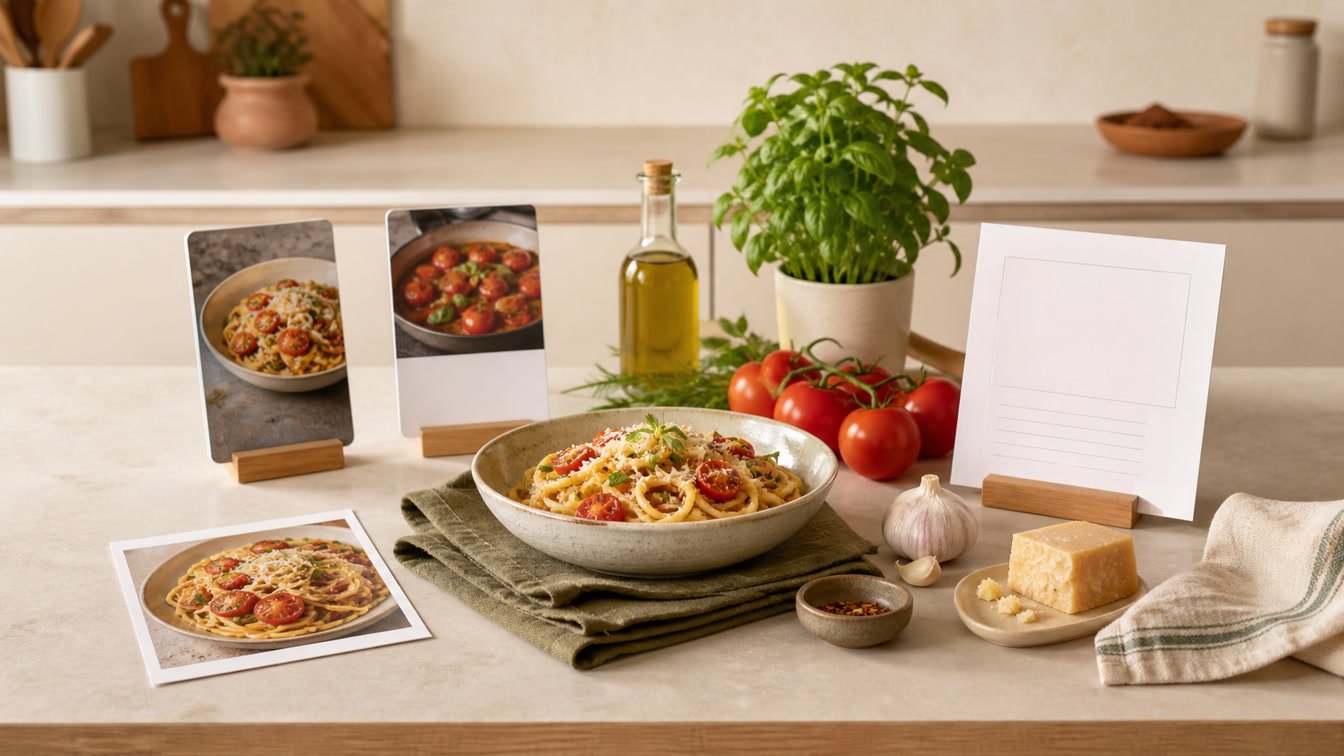
A recipe can arrive as a polished food-blog page, a fast TikTok, an Instagram Reel, or three screenshots buried between holiday photos. Each source may describe the same dinner, but it does not give a recipe importer the same evidence.
That difference matters. A clean source can produce a useful first draft in seconds. A vague source can leave you checking quantities, restoring a missing oven temperature, or rebuilding the order of the steps. The practical question is not simply, “Can this app import recipes?” It is: Which source gives you the cleanest recipe card with the least review?
This recipe import test compares TikTok, Instagram, websites, and screenshots using one repeatable standard. It also explains what to check before you trust any AI-generated recipe in the kitchen.
Disclosure: YumiShare publishes this guide. YumiShare supports recipe imports from links, social videos, and photos, so we have a direct interest in helping people understand both the strengths and the limits of every input method. This is a source-quality test, not a claim that every import will be perfect.
Key Takeaways
- A well-structured recipe website is usually the strongest starting point because ingredients, instructions, yield, and timing can be explicitly marked up.
- TikTok and Instagram are excellent for discovery, but important details may be split among captions, on-screen text, spoken audio, comments, and quick visual cuts.
- Screenshots are the most controllable fallback when a link is unavailable, private, or incomplete—but an importer can only work with what is visible in the images.
- Source quality matters more than the platform name. A complete Reel caption may beat a poorly written website, while a clear multi-image screenshot set may beat a vague video.
- Always review quantities, units, temperatures, timings, servings, and the order of steps before cooking an AI-imported recipe.
- The most reliable workflow is link first, screenshot or photo second, then a short human review before saving.
Table of Contents
- How This Recipe Import Test Works
- Quick Results: Which Source Is Best?
- Website Recipe Imports
- Instagram Recipe Imports
- TikTok Recipe Imports
- Screenshot Recipe Imports
- The Best Import Workflow in YumiShare
- What to Check Before You Cook
- Frequently Asked Questions
How This Recipe Import Test Works
Import accuracy is difficult to summarize with one percentage. Recipes vary too much, and social posts can change or disappear. Instead of pretending that four hand-picked links represent the entire internet, this test uses a transparent acceptance checklist that you can repeat with your own saved recipes.
For each source, ask whether the imported card contains:
- A useful recipe title.
- The intended number of servings or yield.
- A complete ingredient list.
- Quantities and units attached to the correct ingredients.
- Instructions in the right order.
- Cooking temperatures and important timings.
- Notes that affect the outcome, such as marinating or resting.
- A source link or enough context to return to the creator.
This approach measures readiness to review, not blind trust. AI can organize messy recipe information, but it should not make your safety decisions. A card is ready when a home cook can quickly compare it with the source, correct obvious gaps, and understand the method from start to finish.
The current YumiShare product page lists imports from Instagram, TikTok, Pinterest, YouTube, Facebook, food blogs, websites, and photos. Its App Store listing also tells users to review the extracted ingredients, instructions, cooking time, and nutrition before saving. That review step is part of the workflow—not an admission of failure.
Quick Results: Which Source Is Best?
Source Best use Typical strength Main risk Practical verdict Recipe website Complete published recipes Structured ingredients, steps, yield, and timing Ads, unusual layouts, missing or incorrect markup Best first choice when the page is accessible Instagram Reels and creator posts you discover while scrolling Easy link sharing; captions may contain a compact recipe Details can be spread across caption, video, and comments Convenient, but review quantities and missing steps TikTok Fast video-first inspiration Strong visual demonstration of technique Rapid cuts, spoken-only details, and vague measurements Good discovery input; sequence and heat need attention Screenshot Private, blocked, deleted, or image-only recipes You control exactly which text is captured Cropping, blur, tiny text, and missing pages Best fallback when you capture the full recipe clearlyThere is no universal winner. The strongest source is the one that exposes the most complete, legible recipe. In practice, a clear website often requires the least repair. Social links are the fastest way to move an idea out of a feed. Screenshots are the rescue method when sharing the original link does not give the importer enough information.
Website Recipe Imports
Why websites often create the cleanest first draft
Recipe websites can contain machine-readable structured data. Google’s official Recipe structured data documentation describes fields for ingredients, instructions, yield, preparation time, cooking time, nutrition, images, and video. When a publisher implements that data correctly, an importer does not have to infer the entire recipe from visual layout alone.
That makes a good website the baseline for this recipe import test. A properly published page can present the title, ingredient groups, numbered steps, servings, and timing in a predictable format. It is usually the easiest source to compare against the final card.
Where website imports still go wrong
Structured does not always mean correct. A page may omit an ingredient from its markup, combine several steps into one block, include substitutions inside an ingredient line, or place the real method in prose outside the recipe card. Paywalls, cookie walls, login requirements, and scripts can also prevent an importer from seeing the same page you see.
After importing from a website, check:
- whether ingredients are grouped correctly for the sauce, filling, or garnish;
- whether the yield matches the quantities;
- whether temperatures retain Fahrenheit or Celsius;
- whether optional ingredients remain marked optional;
- whether resting, cooling, or marinating time survived the import;
- whether the source URL points to the exact recipe page rather than a homepage.
If the page is overloaded with distractions, a structured recipe card also gives you a calmer place to cook. Our guide to an automatic recipe ingredient extractor explains how that transformation works at a practical level.
Website verdict: Start with the URL. It normally offers the richest combination of explicit text and structured fields. Use screenshots only if the accessible page is incomplete or blocked.
Instagram Recipe Imports
The strength: a fast path out of the Saved folder
Instagram is built for discovery. A Reel can show the texture of a sauce or the correct color of roasted vegetables better than a paragraph. Sharing the post directly into a recipe organizer also preserves a path back to the original creator, which is much better than leaving the idea in a large Saved collection.
The import quality depends on how the creator publishes the recipe. Some captions include full ingredients and instructions. Others use the caption for a story, put quantities in on-screen text, add an important substitution in a pinned comment, or speak the method without writing it down.
When the recipe is complete in the caption, Instagram can behave almost like a concise recipe page. When the post relies mainly on video, the importer has more interpretation work to do.
The review points that matter most
For an Instagram import, compare the card against the post and ask:
- Did a number shown briefly on screen become the correct ingredient quantity?
- Is the oven temperature present?
- Are ingredients added in the same order as the Reel?
- Did the card confuse a garnish with a required ingredient?
- Is an instruction hidden in the caption’s final lines or a creator comment?
- Does “cook until done” need a more useful visual cue in your personal notes?
If Instagram is your main source, read how to save recipes from Instagram for a focused workflow.
Instagram verdict: Excellent for quick sharing and visual context. Expect a short review whenever the recipe is split between caption, overlays, audio, and comments.
TikTok Recipe Imports
The strength: technique is visible
TikTok is often strongest at showing movement: how thick a batter should look, how quickly a sauce reduces, or when a crust becomes golden. Those visual cues are genuinely useful. A recipe card, however, needs a stable list of quantities and ordered steps.
That creates a familiar mismatch. The video may show six actions in twenty seconds while the caption says only “easy weeknight pasta.” Measurements may appear for less than a second, be spoken over music, or never appear at all. An importer can organize the information that exists, but it should not invent the missing half cup, pan temperature, or cooking time.
The fields to inspect after a TikTok import
Pay special attention to:
- quantities described as “some,” “a little,” or “to taste”;
- temperatures that are visible on an appliance but not stated;
- steps that happen off-camera between cuts;
- ingredients added visually but never named;
- voice-over corrections such as “I used less than shown”;
- serving size, which short videos often leave implicit.
Keep the original video available as a reference when technique matters, and add a personal note after cooking. Our TikTok recipe saver guide covers the discovery-to-cookbook workflow in more detail.
TikTok verdict: Strong for inspiration and visual technique, but often the highest-review link source. Treat missing measurements as missing—not as permission to guess.
Screenshot Recipe Imports
The strength: you choose the evidence
A screenshot is useful when a post is private, a link does not open outside its app, the recipe lives in a comment, or you want to preserve text before it disappears. It can also capture a recipe sent in a message or displayed inside another app.
Modern phones can recognize text inside photos; Apple documents this behavior through Live Text. A recipe importer can go further by turning recognized text into fields such as ingredients and steps. But the quality ceiling is still set by the image.
A crisp screenshot containing the full ingredient list can be an excellent input. A cropped image with half the directions missing cannot produce a complete recipe, no matter how advanced the AI is.
How to capture screenshots that import cleanly
Use these habits:
- Capture the title, ingredients, and every instruction—not only the attractive final photo.
- Use multiple screenshots if the recipe scrolls beyond one screen.
- Avoid notification banners, chat bubbles, or controls covering text.
- Keep quantities large enough to read when the image is opened normally.
- Preserve headings such as “sauce” and “filling” so ingredients stay grouped.
- Include the creator or source in at least one frame for attribution.
- Review fractions carefully;
1/4and1 1/4are easy to confuse in a tight crop.
If your camera roll has already become a recipe archive, start with the smarter alternative to recipe screenshots.
Screenshot verdict: The best fallback and sometimes the most transparent input because you can see exactly what was supplied. Results depend heavily on completeness, resolution, contrast, and crop.
The Best Import Workflow in YumiShare
The useful conclusion from this recipe import test is not “always use one platform.” It is a simple fallback ladder.
1. Share or paste the original link first
Use the most direct source available. For a food blog, use the exact recipe page. For Instagram or TikTok, share the original post rather than a profile, search page, or repost when possible.
2. Inspect the imported card before saving
Read the ingredients and steps side by side with the source. Correct obvious units, quantities, temperatures, and ordering. If a detail is genuinely absent, leave a note to verify it instead of making the recipe look more certain than the creator made it.
3. Add screenshots when the link is not enough
Capture the missing caption, on-screen quantities, or comment and use the photo-import route. Screenshots are not a lesser method; they are a controlled fallback for information that the link does not expose cleanly.
4. Organize only after the card is trustworthy
Add the recipe to a cookbook or favorites, then use it for meal planning and grocery lists. A tidy library is valuable only when the recipe inside it is complete enough to cook.
5. Improve the card after the first cook
Record the real yield, your preferred salt level, the pan you used, or the extra five minutes your oven needed. Imported recipes become more useful when they accumulate your own kitchen knowledge.
YumiShare is designed to connect that complete path: import, review, organize, plan, shop, and cook. You can download YumiShare from the App Store and start with the recipes you already have scattered across links and photos.
What to Check Before You Cook
No AI recipe importer should replace basic kitchen judgment. Before you start, run this sixty-second check:
- Ingredients: Does every ingredient used in the steps appear in the list?
- Quantities: Are decimal points, fractions, and package sizes plausible?
- Units: Were tablespoons, teaspoons, grams, ounces, and cups kept distinct?
- Yield: Do the quantities make sense for the listed number of servings?
- Temperature: Is the unit clear, and does it suit the cooking method?
- Timing: Are active cooking, resting, marinating, and cooling times separated?
- Sequence: Do preparation steps happen before the ingredient is needed?
- Food safety: For meat, eggs, seafood, and leftovers, follow trusted food-safety guidance rather than a creator’s visual shortcut.
- Allergies: Verify every packaged ingredient and cross-contact risk yourself.
- Source: Keep a path back to the original so you can resolve ambiguity.
This check is especially important for nutrition estimates and automatically scaled quantities. AI can normalize a recipe, but the final responsibility remains with the cook.
If your broader goal is a searchable collection rather than a single import, see our guide to the best app for saved recipes.
Conclusion: Source Quality Beats Platform Loyalty
The recipe import test has a practical winner: use the source that contains the clearest, most complete recipe.
A well-structured website is normally the best first pass. Instagram and TikTok are unmatched for discovering dishes and seeing technique, but their recipe details can be scattered. Screenshots are the dependable rescue path when the original link is private, incomplete, or inaccessible.
The best system supports all four. Start with the link, fall back to clear images, review the generated card, and save it only when the quantities and method make sense. That small habit turns AI importing from a novelty into a reliable part of everyday cooking.
Frequently Asked Questions
Which source performed best in this recipe import test?
A well-structured recipe website is generally the strongest starting point because it can provide explicit fields for ingredients, instructions, yield, and timing. A complete social caption or clear screenshot set can still outperform a poorly structured page.
Can I import recipes directly from TikTok?
YumiShare lists TikTok and other social videos as supported link sources. Share or paste the original post, then review measurements, temperatures, serving size, and any actions that happened quickly or only on screen.
Can I import recipes from Instagram Reels?
Yes. The cleanest results come from posts that include a complete caption or clearly visible recipe details. Check comments and on-screen text if the generated card appears incomplete.
Is a screenshot enough to import a full recipe?
It can be, provided the screenshot set includes the full ingredient list and every instruction at readable resolution. If the recipe spans several screens, capture all of them and verify that no line was hidden by controls or notifications.
Why do website recipes often import more cleanly?
Many publishers use Recipe structured data with dedicated fields for ingredients, steps, yield, timing, and other details. Correct markup gives an importer a clearer starting structure, although the result should still be reviewed.
What should I do when an import misses a quantity?
Return to the source and check the caption, video overlay, spoken instructions, comments, or another screenshot. Do not silently invent a measurement. If the creator never supplied it, mark the recipe for later verification.
Does AI understand every cooking video perfectly?
No. Fast edits, music, ambiguous speech, missing measurements, and actions performed off-camera can all remove essential context. AI can organize available evidence; it cannot guarantee that the creator included everything needed.
Should I delete the original link after importing?
Keep the source link whenever possible. It preserves attribution, lets you review the original technique, and gives you a reference if an imported instruction seems unclear.