
 Polski
  Deutsch
  Español
  Français
  Italiano
  Português
  Nederlands
  Svenska
  Українська
  Русский
 Best Recipe Scanner App for iPhone: Photos, Screenshots and Cookbooks
Compare iPhone recipe scanners for cookbook pages, handwritten cards, photos, screenshots, searchable recipes, meal plans, and grocery lists.
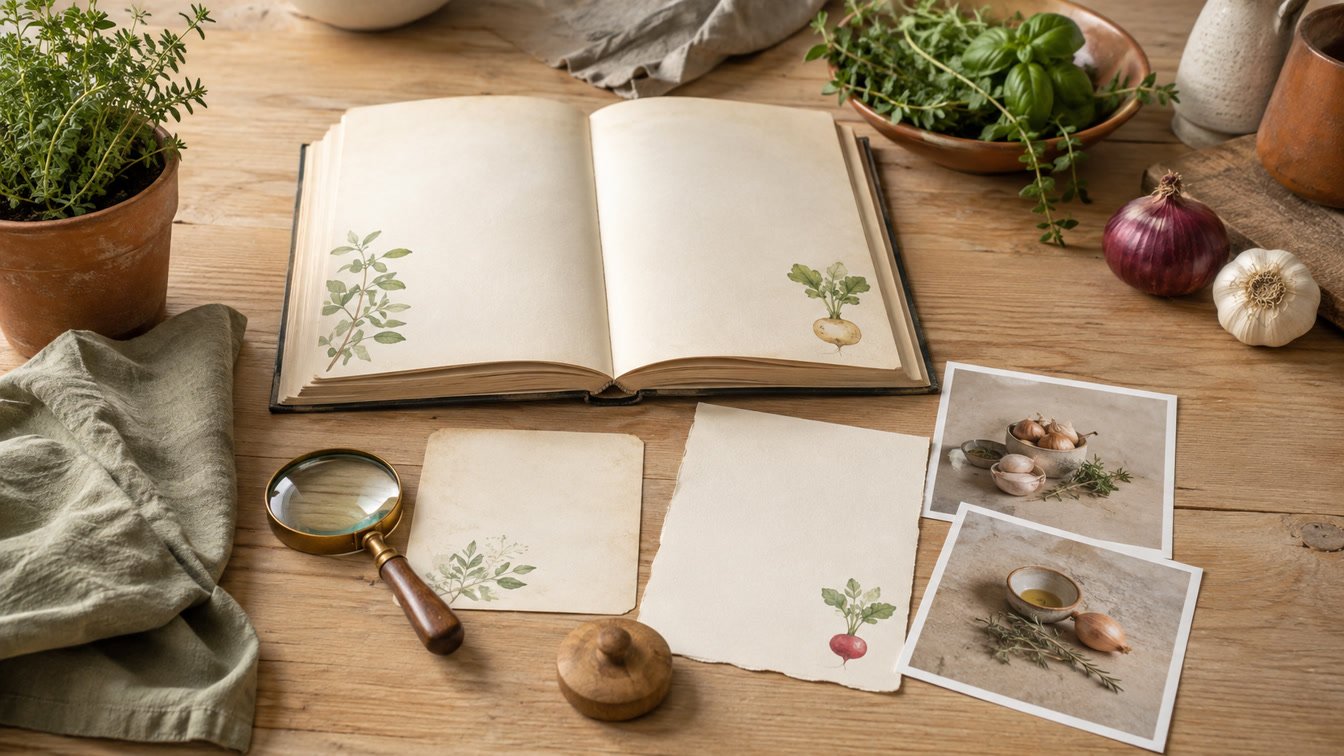
A recipe photo is easy to take and surprisingly hard to use. The ingredient list is trapped inside an image, the second page is somewhere else in the camera roll, and neither one can become a meal plan or grocery list. A good recipe scanner should turn that source into editable fields without throwing away the original.
The best recipe scanner app for iPhone depends on what you scan and what should happen afterward. YumiShare is our pick for moving photos, screenshots, cookbook pages, and social recipes into a complete plan-shop-cook workflow. Recipe Keeper is stronger for a mature cross-platform archive. CookBook suits households that want scanning on iOS plus Android and web access. Cookmate is an inexpensive option for a large online collection. Apple Live Text is a useful free fallback when you only need to copy text.
This is a feature-based comparison, not a claim that one OCR engine will win on every page. Handwriting, shadows, curved book spines, multiple columns, unusual fractions, and missing instructions can change the result. The only reliable choice is the app that performs well on your own difficult recipes and makes correction easy.
Disclosure: YumiShare publishes this guide and is one of the apps compared. Feature, device, limit, and pricing details were checked against current official product pages and Apple App Store listings on September 7, 2026. YumiShare details came from its live product page. Review every scanned recipe against its source before cooking, especially quantities, units, allergens, temperatures, timings, and food-safety instructions.
Key Takeaways
- YumiShare is the best all-around fit for an iPhone-first scan-to-dinner workflow. It handles photos and screenshots, keeps recipes editable, and connects them to planning, grocery lists, pantry status, and Cook Mode.
- Recipe Keeper is the strongest established archive option. It scans from the camera, existing photos, and PDFs, supports multi-photo recipes, and works across iPhone, iPad, Mac, Windows, Android, and other devices through separate purchases.
- CookBook is the broad-device alternative. Its scanner handles cookbook pages, clippings, and handwriting, then syncs editable recipes across iOS, Android, and web.
- Cookmate is useful for inexpensive cloud storage. Scanning is tied to Cookmate Online; its iOS listing shows a 60-recipe free cloud limit and paid subscriptions.
- Apple Live Text is not a full recipe organizer. It can copy text from the camera or an existing image, but you still have to structure, organize, and proofread the recipe yourself.
- Multi-page capture and review matter more than a dramatic AI promise. A useful scanner preserves reading order, separates ingredient sections, keeps the source, and lets you correct the output.
- Always test with your worst pages. Glossy cookbooks, faint pencil, two columns, fractions, and recipes split across pages expose weaknesses faster than a clean printout.
Table of Contents
- What should a recipe scanner actually do?
- How we compared iPhone recipe scanners
- Best recipe scanner apps for iPhone
- Quick comparison
- Which scanner fits each source?
- How to test a recipe scanner safely
- Common OCR errors
- Verdict
- Frequently asked questions
What Should a Recipe Scanner Actually Do?
A document scanner makes a page easier to store. A recipe scanner should make it easier to cook.
That means more than recognizing letters. The app has to identify a title, servings, times, ingredient groups, quantities, units, instructions, notes, and sometimes nutrition. It should preserve the order of a recipe that crosses columns or pages. The output should be editable because even strong OCR can mistake “1/4” for “14,” “tsp” for “tbsp,” or 350°F for 850°F.
The structured result should then behave like any other saved recipe. You should be able to search it by name or ingredient, adjust servings, place it in a weekly plan, send ingredients to a list, and read the steps at the counter. Otherwise, you have traded one image in Photos for another isolated document.
Source preservation matters too. A family card may include a crossed-out time, handwriting from two generations, or a note that never becomes part of the formal instructions. A cookbook page can include a photograph or sidebar that explains the technique. Keep an untouched image beside the cleaned recipe or in a reliable backup.
How We Compared iPhone Recipe Scanners
This guide compares current official capabilities in seven areas:
- Capture sources: camera, existing photos, screenshots, PDFs, multi-page recipes, and handwriting.
- Structure: whether the scan becomes editable ingredients and instructions rather than a flat image.
- Review: whether corrections are expected and easy before saving.
- Organization: search, tags, categories, notes, ratings, and source images.
- After the scan: serving scaling, meal planning, grocery lists, pantry, and cooking tools.
- Devices: where the library can be viewed and edited after capture.
- Cost model: the published free limits, subscriptions, or separate platform purchases.
We did not assign numerical OCR accuracy scores because official listings do not provide comparable test data, and results vary by recipe. Treat “best” below as best for a stated workflow, not a guarantee on every photograph.
Best Recipe Scanner Apps for iPhone
1. YumiShare — Best for Photos, Screenshots, and the Full Dinner Workflow
YumiShare is our overall choice when scanning is the beginning rather than the end. On iPhone, a photo or screenshot can become a clean, editable recipe. You can correct the title, servings, time, ingredient sections, steps, categories, and cover before the recipe joins your cookbook.
The advantage appears after saving. Scanned recipes can move into breakfast, lunch, or dinner slots, combine into grocery lists, compare with pantry status, and open in a step-by-step Cook Mode with embedded timers. The same library can also receive recipes from Instagram, TikTok, Pinterest, YouTube, Facebook, Threads, food blogs, and other websites.
This makes YumiShare practical for a mixed camera roll. A photographed family card, two cookbook pages, and a screenshot from a message do not need separate storage systems. They become searchable recipes inside the same weekly workflow.
The tradeoffs are clear. YumiShare is currently on iOS; Android is shown as coming soon. Its core cookbook, planner, and lists are free, while Premium unlocks unlimited AI imports and scanning. Because scanning uses AI, every result still needs comparison with the source.
Best for: iPhone users who want scanned recipes to lead directly to planning, pantry-aware shopping, and cooking.
2. Recipe Keeper — Best for a Mature Cross-Platform Archive
Recipe Keeper has one of the clearest official scanning descriptions. Its current Apple App Store listing says it scans with the camera or from existing photos and PDF files, converting images to text with OCR. A 2025 update added selecting multiple photos together for recipes that span several images.
The scanned recipe joins a mature organizer with categories, ratings, favorites, nutrition fields, serving conversion, weekly and monthly planning, aisle-grouped shopping lists, printable PDF cookbooks, offline access, and file migration from many older recipe apps.
Device breadth is a strength. Recipe Keeper supports iPhone and iPad, plus Mac, Windows, Android, and other mobile devices, although the listing says separate purchases are required for other platforms. That model may suit a household with mixed hardware better than an iPhone-only library.
Recipe Keeper is less explicitly social-first than YumiShare or CookBook. It can store video links and import website recipes, but its official core description emphasizes conventional web pages, camera scans, photos, PDFs, and an established personal archive.
Best for: large family collections, PDFs, multi-photo recipes, offline access, printable cookbooks, and mixed-device households.
3. CookBook — Best for Scanning Across iOS, Android, and Web
CookBook combines a dedicated scanner with broad import routes. Its official recipe scanner page says it turns cookbook pages, printed recipes, magazine clippings, handwritten cards, and photos into editable ingredients and steps. It explicitly recommends reviewing the scan and keeping the original image for context.
Scanned recipes remain searchable by name, ingredient, tag, and category. They can be rated, placed in meal plans, scaled, and sent to shopping lists. CookBook also imports from websites and social platforms, and the library syncs across supported iOS, Android, and web devices.
The current official site says the free plan includes 20 saved recipes, 20 smart imports, two shopping lists, cloud sync, and access on iOS, Android, and web. The yearly plan includes a 14-day trial; current checkout pricing should be confirmed for your region.
CookBook is a strong alternative when one person scans on an iPhone but someone else edits on a computer or cooks from Android. YumiShare has the more explicit pantry-status workflow; CookBook has available Android and web access now.
Best for: people who want photo scanning, social imports, and a shared cloud library across phone, tablet, and browser.
4. Cookmate — Best for a Large, Inexpensive Online Collection
Cookmate, formerly My CookBook, approaches scanning as part of Cookmate Online. Its current iPhone App Store listing says a free online account can scan recipes from books and magazines, synchronize 60 recipes and one shopping list, and make the collection available from a computer or other device.
The iOS app itself is not limited in recipe count when the online account is not used. Cloud limits and scanning are different: the listing shows $1.99 monthly or $22.99 yearly US in-app subscriptions, while Cookmate's web pricing can differ. Cookmate also supports more than 200 recipe websites, manual editing, serving scaling, sharing, and several legacy recipe-file formats.
Cookmate is a good value for collectors who want a very large cloud archive and broad customization. Its scanning flow is less central to the product story than YumiShare or CookBook, and its free online limit is easy to reach during a serious digitization project.
Best for: experienced recipe collectors who value low-cost cloud storage, web access, and legacy import options.
5. Apple Live Text — Best Free Text-Only Fallback
Every recent iPhone already has a useful OCR tool. Apple's official Live Text guide explains how the Camera can detect visible text so you can copy it into Notes, Messages, or another app. Live Text also works with existing photos and paused video in supported contexts.
This costs nothing extra and can rescue a short printed recipe when a dedicated scanner is unavailable. It is also a good diagnostic tool: if the iPhone cannot clearly see the characters, a recipe app may struggle too.
Live Text does not understand recipe structure. It will not reliably decide which lines are ingredients, join a two-page method, preserve sections, create a meal plan, or build a grocery list. You must select, paste, format, organize, and verify the text manually.
Best for: occasional copying, short clean print, or a manual fallback—not a growing digital cookbook.
Quick Comparison
Option Best capture sources Editable recipe Multi-page support Planning and lists Devices YumiShare Photos, screenshots, cookbook pages, social and web sources Yes Multiple images can be reviewed as one recipe workflow Planner, grocery lists, pantry, Cook Mode iPhone/iPad; Android coming soon Recipe Keeper Camera, photos, PDFs, handwriting Yes Official listing supports multiple photos together Weekly/monthly planner and aisle lists iOS, Mac, Windows, Android; separate purchases may apply CookBook Cookbooks, clippings, handwriting, photos, social and web Yes Current App Store listing describes two-photo scanning Planner and smart shopping lists iOS, Android, web Cookmate Books, magazines, web recipes Yes Confirm against your pages Online planner and shopping lists iOS, Android, web Apple Live Text Visible text in camera, photos, and paused video Text only; manual structure Manual copy and assembly None Built into supported iPhonesWhich Scanner Fits Each Source?
Screenshots
Choose an app that accepts an existing image from Photos and creates fields directly. YumiShare treats screenshots as a normal import source. Recipe Keeper accepts existing photos, while CookBook describes photos and clippings. A screenshot of a social caption may be less useful than importing the original link because the link can preserve source context or video.
Printed cookbook pages
Recipe Keeper, CookBook, Cookmate, and YumiShare all publish a route for photographed print. The deciding factors are multi-page capture, curved-spine handling, source-image preservation, and correction tools. Our cookbook-page scanning guide explains how to support the binding and photograph glossy pages without flattening the book.
Handwritten cards
Recipe Keeper and CookBook explicitly name handwriting, and YumiShare supports photographed cards through AI scanning. Handwriting is the hardest source: faded ink, shorthand, stains, and family-specific knowledge may not be recoverable automatically. Keep the original image and follow the preservation steps in our handwritten recipe guide.
Social recipes
Use the original post when possible instead of scanning a screenshot. YumiShare and CookBook explicitly import from major social platforms; a direct source can preserve more context than pixels alone. The recipe import comparison shows why a structured webpage, caption, spoken video, and screenshot create different verification work.
A photo of the finished dish
A food photograph with no written recipe is not a reliable source for exact ingredients or method. An app may generate a plausible recipe, but that is recipe creation, not transcription. Do not present the result as the original dish's instructions.
How to Test a Recipe Scanner Safely
Use the same six-source test in every shortlisted app:
- Choose difficult examples: a clean printout, glossy cookbook page, two-page recipe, screenshot, handwritten card, and multi-column layout.
- Photograph once: use soft even light, hold the lens parallel, fill the frame, and avoid fingers or shadows.
- Keep untouched originals: never let the app's crop become the only copy of a family recipe.
- Check structure: confirm the title, servings, times, ingredient groups, steps, and page order.
- Check dangerous details: compare fractions, teaspoons and tablespoons, temperatures, timers, allergens, and raw-meat instructions.
- Measure correction time: a scan that needs ten minutes of cleanup may be slower than careful manual entry.
- Run the weekly loop: search for the recipe, scale it, plan it, generate the list, and cook one step with wet hands.
- Test access elsewhere: confirm that the intended family member or second device can actually reach the saved recipe.
The recipe-app switching checklist adds backup, export, subscription, and ownership questions before you scan a whole collection.
Common OCR Errors You Must Check
Fractions and units
Look closely at 1/4 versus 14, 1/2 versus 12, and “tsp” versus “tbsp.” A single character can change salt, leavening, or spice by a dangerous amount.
Columns and page order
OCR may jump from the first ingredient column into the second before finishing the first. A recipe continued on another page can also lose a step or repeat a heading.
Temperatures and time
Degree symbols, fan-oven notes, Celsius/Fahrenheit labels, ranges, and resting time are common failure points. Confirm every heat and time instruction against the image.
Handwriting and implied knowledge
Family cards may say “bake until done,” omit pan size, or use an abbreviation only one person understands. AI can transcribe visible words but cannot recover missing family knowledge. Add a note rather than inventing certainty.
Allergens and safety
Never trust an OCR result for allergen substitutions, canning instructions, meat temperatures, or infant food without checking the original and an appropriate authoritative safety source.
The Verdict: The Best Scanner Finishes the Workflow
The best recipe scanner app for iPhone is not merely the fastest camera. It creates an editable recipe, makes correction obvious, preserves the source, and carries the result into the part of the week where it becomes useful.
YumiShare is our overall recommendation for iPhone users with a mixed collection of cookbook pages, screenshots, family cards, websites, and social recipes. Its advantage is continuity: scan, organize, plan, check the pantry, shop, and cook inside one focused workflow.
Choose Recipe Keeper for a mature archive, PDFs, printable cookbooks, and mixed-device ownership. Choose CookBook when iOS scanning must coexist with Android and web access. Choose Cookmate for a large, inexpensive online collection and established import tools. Use Apple Live Text when you only need free text extraction and do not mind structuring the recipe yourself.
Before committing, scan the same difficult six recipes in your top two options. The winner is the one that preserves the most truth and requires the least risky correction—not the one with the loudest AI label.
Ready to test the complete workflow? Download YumiShare on the App Store, scan one screenshot and one paper recipe, verify both against their sources, then use one in a real meal plan.
Frequently Asked Questions
What is the best recipe scanner app for iPhone?
YumiShare is our overall pick for iPhone users who want photos, screenshots, paper recipes, and social sources to become editable recipes connected to planning, grocery lists, pantry status, and cooking. Recipe Keeper is stronger for an established cross-platform archive.
Can an iPhone scan a recipe from a cookbook?
Yes. Dedicated recipe apps can photograph a cookbook page and structure recognized text into ingredients and steps. Apple Live Text can copy visible text manually. Use even light, keep the lens parallel, protect the binding, and proofread the result.
Can recipe scanner apps read handwriting?
Some can. Recipe Keeper and CookBook explicitly advertise handwritten-recipe scanning, and YumiShare can process photographed recipe cards. Results depend heavily on handwriting, contrast, stains, abbreviations, and page layout, so keep the image and verify every line.
Can I turn a screenshot into an editable recipe?
Yes. YumiShare supports recipe extraction from screenshots, and several alternatives accept existing photos. If the screenshot came from a social post or website, importing the original link may preserve more context than the image.
Does Apple have a built-in recipe scanner?
Apple Live Text can recognize and copy text from the Camera, photos, videos, and images, but it is not a recipe manager. It does not automatically organize ingredients and steps, build meal plans, or create grocery lists.
Are AI recipe scans always accurate?
No. Fractions, units, columns, handwriting, temperatures, and page order can be wrong. Compare every field with the source before cooking, especially allergens and safety-critical instructions.
What should I scan first when digitizing a cookbook?
Start with favorite and irreplaceable recipes, not the entire shelf. Scan a small representative set, confirm backup and export options, and cook from the digital versions before expanding the project.
Should I keep the original recipe photo?
Yes. The original preserves handwriting, layout, corrections, attribution, and context that OCR may omit. Keep an untouched image even after the structured recipe has been verified.
Which recipe scanner works on Android too?
CookBook, Recipe Keeper, and Cookmate currently offer Android options as well as iPhone access, although purchases and sync models differ. YumiShare is on iOS now, with Android described as coming soon.