
 Polski
  Deutsch
  Español
  Français
  Italiano
  Português
  Nederlands
  Svenska
  Українська
  Русский
 The Personal Digital Recipe Box: How to Organize Your Kitchen in 2026
Tired of losing recipes? Find the best family recipe organizer app to turn scattered saves into a smart, AI-powered digital recipe box. Get organized today!

You're standing in the grocery aisle, scrolling frantically through your photo gallery for a screenshot of a TikTok pasta dish you saved last Tuesday. It's buried under a hundred other images. We've all felt that specific frustration of losing a great dinner idea to the digital void. Your culinary inspiration is scattered across Instagram, Pinterest, and random browser tabs, making the simple act of cooking feel like a data retrieval mission. It's time to stop the scroll and reclaim your kitchen's calm.
Finding the right family recipe organizer app is the first step toward turning that digital noise into a streamlined, AI-powered collection. You deserve a single, searchable place where every saved video and paper scrap lives in perfect order. In this guide, you'll discover how to transform your scattered saves into a cohesive digital recipe box. We'll explore how modern tools extract ingredients from videos automatically, sync your lists across every device, and provide a seamless way to share your favorite meals with the people you love. Let's move from digital overwhelm to the grounded satisfaction of a well-ordered home.
Key Takeaways
- Centralize your kitchen by moving from messy screenshots and physical binders to a searchable, AI-driven hub.
- Select a family recipe organizer app that uses AI to instantly turn social media reels into text-based ingredient lists.
- Learn why dedicated recipe boxes outperform generic note apps by offering specialized meal planning and hands-free cook modes.
- Master a simple two-step audit to bulk-import your existing Instagram and TikTok saves without any manual typing.
- Discover how to bridge the gap between digital inspiration and a finished meal using tools designed for digital mindfulness.
What is a Personal Digital Recipe Box?
A personal digital recipe box is more than just a folder on your phone. It's a central, searchable hub designed to house every spark of culinary inspiration you find online. In 2026, the standard for a family recipe organizer app has shifted. It's no longer enough to just save a link or a block of text. Modern tools now understand video, allowing you to extract data directly from the reels and shorts that dominate our feeds. A personal digital recipe box is the essential bridge that carries you from social discovery to kitchen execution.
The Evolution of Recipe Keeping
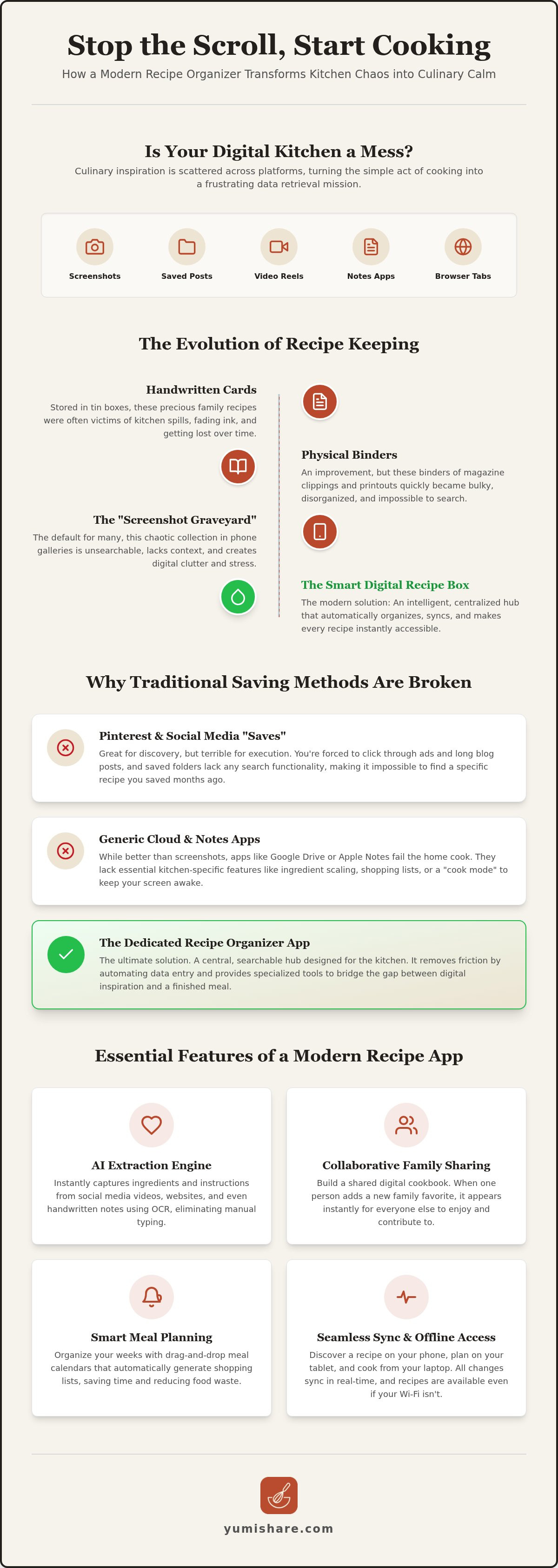
Recipe storage has moved through distinct eras. We started with handwritten cards tucked into floral tin boxes. Eventually, these became bulky physical binders overflowing with magazine clippings. By 2024, most of us had migrated to the "Screenshot Graveyard," a chaotic collection of recipe photos lost between pet pictures and work memos in our phone galleries. It's a digital mess that creates more stress than flavor.
Generic cloud folders like Google Drive or Apple Notes often feel like the next logical step, but they fail the home cook in practice. They lack the structure needed for a busy kitchen. You can't easily scale ingredients; they don't offer a dedicated "cook mode" to keep your screen awake. The rise of the "Smart Cookbook" solves this by automating data entry. Instead of typing out instructions, you simply share a link, and the app handles the rest. It moves you from a digital spark to a physical result in seconds.
Why Traditional Saving Methods Are Broken
If you rely on Pinterest or social media "Saved" folders, you've likely hit a wall. Pinterest is excellent for "someday" inspiration, but it lacks the "now" functionality required when you're standing at the stove. It's a visual board, not a functional tool. You're forced to click through multiple ads and long-winded blog intros before you even see an ingredient list.
Instagram and TikTok are even more restrictive. Their saved folders offer zero search functionality. If you saved a lemon chicken recipe six months ago, you'll spend twenty minutes scrolling to find it again. This friction leads to "decision paralysis." When your digital library is cluttered and unsearchable, it's often easier to order takeout than to find that one video you actually wanted to make. A dedicated family recipe organizer app removes this noise, leaving only the clarity you need to start cooking with confidence.
Essential Features of a Modern Recipe Organizer in 2026
Modern life moves fast. Your kitchen tools must keep up. In 2026, a high-quality family recipe organizer app does more than just store text. It acts as an intelligent assistant that handles the heavy lifting of data entry and organization. This shift moves you away from the frantic energy of digital consumption toward the grounded satisfaction of a well-ordered home. It turns complexity into simplicity, ensuring your focus remains on the joy of cooking.
AI Extraction: The Heart of the Digital Box
Stop pausing and rewinding 60-second Reels just to jot down measurements. Modern AI extraction identifies ingredients and steps directly from TikTok and Instagram captions. It transforms a fleeting video into a structured recipe in seconds. This technology also breathes new life into the past. Optical Character Recognition (OCR) digitizes your grandmother’s handwritten index cards with a single photo. You eliminate the manual typing burden entirely. The result is a clean, readable format that stays consistent across your entire library. It turns a digital spark into a physical result without the friction of manual entry.
Seamless Sync and Accessibility
Accessibility is the foundation of a calm kitchen. Syncing recipes between devices is non-negotiable for busy households. You might discover a dish on your phone during your commute, meal plan on a tablet at the coffee shop, and cook using a laptop in the kitchen. Every change stays updated in real-time across all platforms. This synchronization prevents the confusion of having multiple versions of the same recipe floating around.
Don't let spotty Wi-Fi ruin dinner. Robust apps provide offline access to ensure your instructions are available even when the connection drops. This reliability allows you to focus on the cooking, not the technology. Collaborative features take this a step further. You can build a shared family cookbook in real-time. When one person adds a new favorite, it appears instantly for everyone else, making it the perfect family recipe organizer app for modern, connected lives.
Smart Organization and Cloud Security
Forget the frustration of messy nested folders. Use smart tags, categories, and search filters to find exactly what you need. Search for "15-minute dinners" or "dairy-free desserts" and get results in milliseconds. This precision removes the noise and leaves only what is useful for your current meal. It creates a sense of digital mindfulness, filtering out the clutter of the internet.
Cloud security provides the ultimate peace of mind. Your culinary legacy is too valuable to lose. If a phone breaks or a tablet gets splashed, your recipes remain secure in the cloud. They are ready for your next device the moment you log in. You can simplify your life and protect your family traditions with a modern recipe saver app that prioritizes both efficiency and security.
Comparing Methods: Pinterest vs. Generic Apps vs. Dedicated Recipe Boxes
Choosing your organization method defines your kitchen's energy. Is it a frantic search or a calm routine? Most people start with the tools they already use for work or social browsing. However, generic tools often create more friction than they solve. To build a truly streamlined collection, you need a system that understands the specific needs of a home cook in 2026. Transitioning to a purpose-built family recipe organizer app is the difference between digital clutter and culinary clarity.
Why Pinterest Isn't Enough Anymore
Pinterest excels at "someday" inspiration. It's a beautiful visual dream board. However, it often fails the "now" test when you're actually at the stove. You've likely experienced "Link Rot," where a saved pin leads to a frustrating 404 page or a defunct blog. Even when the link works, you're often met with ad-heavy websites that bury the instructions under layers of pop-ups and unrelated content. Pinterest also lacks a unified grocery list generator. You can't easily merge ingredients from three different pins into one efficient shopping trip. It's a discovery tool, not a kitchen utility.
Generic note apps like Apple Notes or Google Drive offer a blank canvas but zero specialized support. They don't recognize the difference between an ingredient and an instruction. You won't find automatic ingredient scaling for unexpected guests. There's no meal planning logic built in. Crucially, they offer zero video sync. If your favorite recipe is a TikTok reel, a note app just stores a link. You're forced to click, watch, and manually transcribe the details. It's a tedious process that kills the momentum of a new discovery.
The Dedicated App Advantage
A purpose-built family recipe organizer app changes the entire workflow. It's designed for the messy, high-energy environment of a real kitchen. Specialized features like hands-free cook mode allow you to follow steps without touching your screen with flour-covered hands. These apps automate the logistics. They scale portions instantly and integrate meal planners that turn your saved favorites into a weekly schedule with one tap. This methodical flow mirrors a user's natural movement from the initial moment of discovery to the final outcome.
In the ongoing "Recipe Keeper Alternative" debate, the winners in 2026 are social-first. Older dedicated apps focus on manual entry or basic web scraping. Modern cooks need tools that speak the language of video. A dedicated app uses AI to bridge the gap between a viral video and a finished dinner. It removes the noise of the internet and leaves you with the grounded, tactile satisfaction of a well-ordered home life. It's time to move away from the frantic energy of digital consumption and embrace a system that values your time and mental space.
How to Build Your Digital Recipe Library Without the Stress
Building a library shouldn't feel like a chore. It is a path toward kitchen tranquility. Most of us have hundreds of recipes scattered across different platforms, creating a sense of digital weight. You can clear this clutter in a single afternoon by following a methodical, step-by-step workflow. This process turns your chaotic "to-cook" list into a streamlined family recipe organizer app that works for you, not against you.
- Step 1: Audit your digital footprint. Open Instagram, TikTok, and Pinterest. Look at your "Saved" folders. If you haven't thought about a dish in six months, let it go. Focus on the ones that actually spark excitement.
- Step 2: Bulk-import your favorites. Use an app to organize saved recipes to move these links into one central hub. Stop copying and pasting. Simply share the link directly to the app.
- Step 3: Assign functional categories. Group recipes by their role in your life. Use "Quick Wins" for 20-minute weeknight meals, "Weekend Projects" for slow-cooked roasts, and "Family Classics" for the staples everyone loves.
- Step 4: Let AI clean the slate. Use automation to strip away the "blog fluff." You don't need to read a 2,000-word essay on the history of garlic to know how much to mince. Keep only the ingredients and the steps.
Taming the Social Media Beast
Stop taking screenshots. They are static, unsearchable, and they clog your photo gallery. Use the "Share" function on your phone to send viral Reels directly to your family recipe organizer app. Within seconds, the AI converts that fast-paced video into a structured text format. You can even organize these new additions by ingredient. If you have half a jar of pesto in the fridge, search your library to find exactly which saved video uses it. This moves you from a digital spark to a physical result with zero wasted effort.
Digitizing the Past
Organization isn't just about the new; it's about preserving the old. Use your phone’s camera to scan those fading, butter-stained index cards from Grandma. Modern AI preserves the human element of her handwriting while making every word searchable. You can finally find "that one cookie recipe" by typing a single keyword. This creates a legacy digital box that is easy to share with the next generation. You aren't just saving data; you're protecting a family history. Start building your legacy with YumiShare today.
Why YumiShare is the Ultimate Digital Recipe Box for 2026
YumiShare acts as a savvy companion for the modern, social-first cook. It understands that your inspiration comes from a fast-paced digital world, yet your cooking happens in a grounded, tactile environment. This family recipe organizer app bridges that gap with empathetic confidence. It takes the burden of organization off your shoulders, acting as a filter that removes the noise of the internet. You're left with a clean, functional workspace that respects your time and your mental space. It's the path toward a well-ordered home life.
From Inspiration to Execution in Seconds
The core of the experience is a powerful AI extraction engine designed specifically for Instagram and TikTok. Stop the frantic energy of scrolling through saved folders while your oil is already heating up on the stove. YumiShare identifies ingredients and steps instantly. It turns a 60-second video into a structured, searchable recipe before you've even reached for the salt. This speed makes it the premier recipe keeper alternative for anyone who finds their best meals on social media. It transforms a digital spark into a physical result with a single tap.
A Complete Kitchen Ecosystem
Cooking is about more than just reading instructions. It's a workflow. YumiShare supports this through a complete kitchen ecosystem that prioritizes ease and speed. The Cook Mode feature is a game-changer for the busy home cook. It keeps the original video in sync with your progress, allowing you to reference specific techniques without losing your place in the text. It's a hands-free experience that keeps your focus on the food, not the screen. This methodical flow ensures you move through the process with momentum and purpose.
Efficiency extends to the grocery store. Smart grocery lists automatically group items by aisle, cutting your shopping time significantly. You'll never find yourself doubling back for a forgotten bunch of cilantro again. For those who want more, the premium tier offers unlimited imports and advanced nutrition analysis. This level of detail provides a clear path toward a healthier, more organized lifestyle. It's a tool designed for digital mindfulness, ensuring your kitchen remains a place of domestic tranquility. Clear your screenshot clutter and bring order to your culinary life. Download YumiShare today and experience the relief of a truly organized kitchen.
Step into the Future of Your Kitchen
The days of losing great dinner ideas to the screenshot graveyard are over. You've learned how a modern family recipe organizer app can bridge the gap between social media inspiration and a physical result on your table. By centralizing your collection, you remove the digital noise and reclaim your mental space. You've seen how AI-powered extraction from Instagram and TikTok eliminates the manual typing burden while keeping your instructions clear and structured.
Transform your scattered saves into a legacy digital box that your whole family can access. With cloud synchronization across all your devices, your library is always ready whenever you are. Use hands-free Cook Mode with video sync to maintain your momentum in the kitchen without touching a screen. It's time to replace the frantic energy of searching with the grounded satisfaction of a well-ordered home.
Start building your digital recipe box for free with YumiShare and experience the relief of a truly streamlined kitchen. You deserve a partner that handles the organization so you can focus on the joy of cooking.
Frequently Asked Questions
Can a digital recipe box app really extract text from a TikTok video?
Yes, modern apps use AI to analyze captions and video audio to pull ingredients and instructions. This eliminates the frustration of searching through a messy photo gallery and manual typing. By identifying the specific text within the video frame or caption, the app structures the data into a clean recipe format instantly. It turns a viral moment into a permanent, searchable kitchen resource without requiring you to pause and rewind. This automation ensures your focus remains on the food.
How do I move my recipes from Pinterest to a digital recipe box?
Exporting your Pinterest board is simple. Copy the URL of your specific pin or board and share it directly to your family recipe organizer app. The app's scraper identifies the culinary data and ignores the surrounding blog fluff or advertisements. This process centralizes your "someday" inspiration into a functional tool you can actually use at the stove, preventing the frustration of broken links or 404 errors. It turns digital clutter into culinary clarity.
Is it better to use a dedicated app or just a folder on my computer?
A dedicated app is superior because it understands the logic of cooking. Computer folders are static and don't offer features like ingredient scaling, "Cook Mode," or automatic grocery list generation. A family recipe organizer app acts as a smart kitchen assistant rather than just a storage bin. It provides a methodical flow from discovery to execution, whereas folders require constant manual updates and offer no mobile-first convenience. It's the difference between storage and utility.
Can I share my digital recipe box with other family members?
Yes, modern organizers prioritize collaboration. You can invite family members to join a shared digital cookbook where everyone can add, edit, or comment on recipes. Cloud synchronization ensures that when your spouse adds a new favorite on their phone, it appears on your tablet instantly. This collaborative approach turns meal planning into a shared household activity rather than a solo chore, keeping everyone in sync. It builds a lasting digital legacy for the whole family.
What happens if a website with my saved recipe goes offline?
Your saved recipes remain safe. When you import a recipe, the app captures a local version of the text and images and stores them in your private cloud. If the original food blog or website disappears, your copy stays intact in your digital recipe box. This protection ensures your culinary legacy isn't dependent on the lifespan of external websites or social media platforms. It provides the grounded satisfaction of a permanent, reliable kitchen library.
How much does a premium recipe organizer app usually cost in 2026?
Most top-tier apps operate on a freemium model. You can often start for free with basic storage, while premium subscriptions unlock unlimited AI imports and advanced features like nutrition analysis. Monthly fees across the industry typically range from $4 to $7, with annual plans offering a discount. This small investment provides the relief of simplification and removes the noise from your digital life. It values your time and mental space above all else.
Is there a way to scale recipe ingredients automatically for more guests?
Scaling is a standard feature in 2026. Simply enter the number of servings you need, and the app recalculates every ingredient measurement instantly. This prevents the mental math errors that often happen when cooking for a crowd or halving a recipe for a quiet night. It ensures precision in your cooking, moving you from a digital spark to a perfect physical result every time. No more manual calculations or ruined dinners due to simple math mistakes.
Does a digital recipe box work offline in the kitchen?
Yes, your recipes are accessible without an internet connection. The app downloads a local copy of your library to your device, allowing you to follow instructions even if your kitchen Wi-Fi is spotty. Any changes you make while offline will sync to the cloud as soon as you reconnect. This reliability ensures your cooking process is never interrupted by technical glitches or poor signal. It maintains the domestic tranquility of a well-ordered, functional kitchen environment.
FAQ
Can a digital recipe box app really extract text from a TikTok video?
Yes, modern apps use AI to analyze captions and video audio to pull ingredients and instructions. This eliminates the frustration of searching through a messy photo gallery and manual typing. By identifying the specific text within the video frame or caption, the app structures the data into a clean recipe format instantly. It turns a viral moment into a permanent, searchable kitchen resource without requiring you to pause and rewind. This automation ensures your focus remains on the food.
How do I move my recipes from Pinterest to a digital recipe box?
Exporting your Pinterest board is simple. Copy the URL of your specific pin or board and share it directly to your family recipe organizer app. The app's scraper identifies the culinary data and ignores the surrounding blog fluff or advertisements. This process centralizes your "someday" inspiration into a functional tool you can actually use at the stove, preventing the frustration of broken links or 404 errors. It turns digital clutter into culinary clarity.
Is it better to use a dedicated app or just a folder on my computer?
A dedicated app is superior because it understands the logic of cooking. Computer folders are static and don't offer features like ingredient scaling, "Cook Mode," or automatic grocery list generation. A family recipe organizer app acts as a smart kitchen assistant rather than just a storage bin. It provides a methodical flow from discovery to execution, whereas folders require constant manual updates and offer no mobile-first convenience. It's the difference between storage and utility.
Can I share my digital recipe box with other family members?
Yes, modern organizers prioritize collaboration. You can invite family members to join a shared digital cookbook where everyone can add, edit, or comment on recipes. Cloud synchronization ensures that when your spouse adds a new favorite on their phone, it appears on your tablet instantly. This collaborative approach turns meal planning into a shared household activity rather than a solo chore, keeping everyone in sync. It builds a lasting digital legacy for the whole family.
What happens if a website with my saved recipe goes offline?
Your saved recipes remain safe. When you import a recipe, the app captures a local version of the text and images and stores them in your private cloud. If the original food blog or website disappears, your copy stays intact in your digital recipe box. This protection ensures your culinary legacy isn't dependent on the lifespan of external websites or social media platforms. It provides the grounded satisfaction of a permanent, reliable kitchen library.
How much does a premium recipe organizer app usually cost in 2026?
Most top-tier apps operate on a freemium model. You can often start for free with basic storage, while premium subscriptions unlock unlimited AI imports and advanced features like nutrition analysis. Monthly fees across the industry typically range from $4 to $7, with annual plans offering a discount. This small investment provides the relief of simplification and removes the noise from your digital life. It values your time and mental space above all else.
Is there a way to scale recipe ingredients automatically for more guests?
Scaling is a standard feature in 2026. Simply enter the number of servings you need, and the app recalculates every ingredient measurement instantly. This prevents the mental math errors that often happen when cooking for a crowd or halving a recipe for a quiet night. It ensures precision in your cooking, moving you from a digital spark to a perfect physical result every time. No more manual calculations or ruined dinners due to simple math mistakes.
Does a digital recipe box work offline in the kitchen?
Yes, your recipes are accessible without an internet connection. The app downloads a local copy of your library to your device, allowing you to follow instructions even if your kitchen Wi-Fi is spotty. Any changes you make while offline will sync to the cloud as soon as you reconnect. This reliability ensures your cooking process is never interrupted by technical glitches or poor signal. It maintains the domestic tranquility of a well-ordered, functional kitchen environment.