
 Polski
  Deutsch
  Español
  Français
  Italiano
  Português
  Nederlands
  Svenska
  Українська
  Русский
 Recipe App with Pantry Tracking: Plan Meals and Waste Less Food
A practical guide to choosing a recipe app with pantry tracking, planning meals from what you own, and shopping only for what is missing.
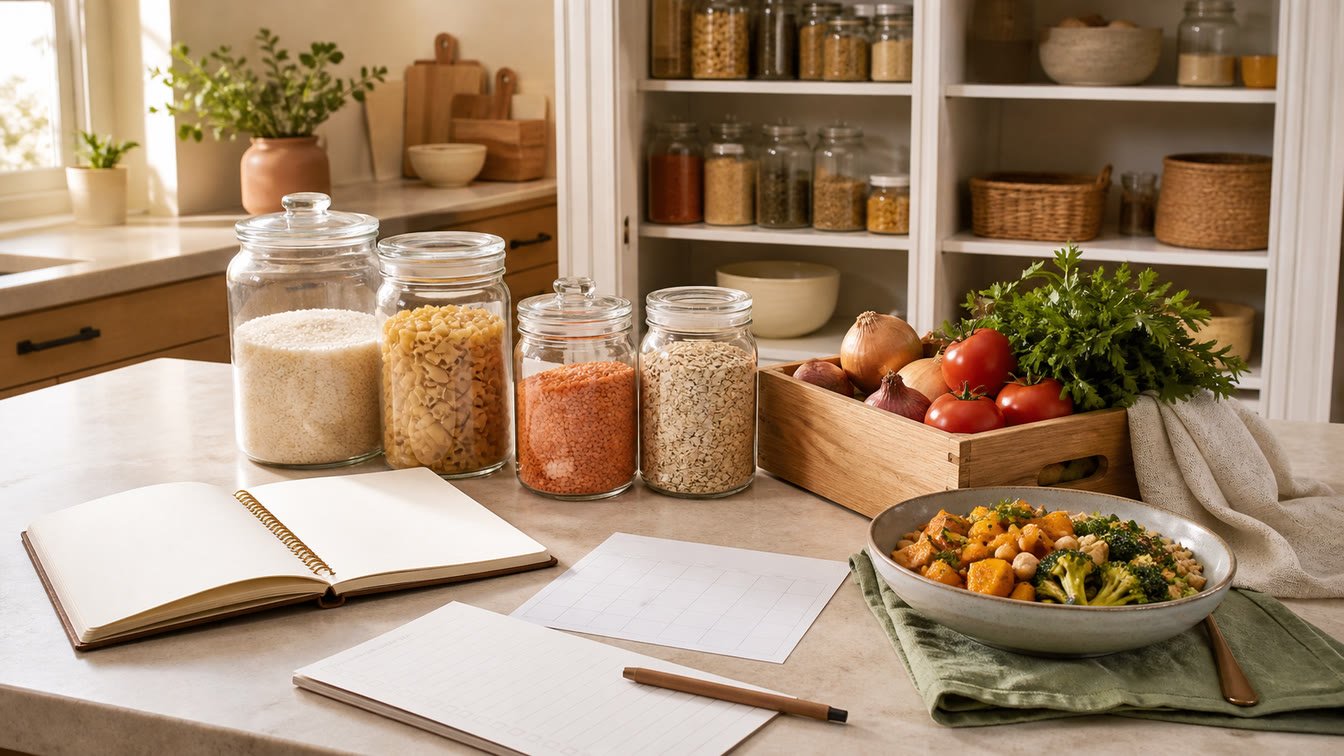
The expensive part of meal planning is often not the plan. It is the food already hiding behind another jar, the spinach bought twice, and the half-used ingredients that never find a second recipe.
A recipe app with pantry tracking can close that gap. Instead of treating recipes, the weekly plan, the grocery list, and the food at home as separate systems, it lets each one inform the next. You can choose meals with your pantry in mind and shop for what is missing rather than rebuilding your kitchen every week.
That does not mean cataloging every grain of rice or trusting an app to decide whether food is safe. The useful version is much simpler: enough visibility to make better choices, with a routine light enough to maintain.
This guide explains what pantry tracking should do, which features matter, where automation stops, and how YumiShare connects an iPhone recipe library to meal plans, grocery lists, and pantry status.
Disclosure: YumiShare publishes this guide. Product details were checked against the live YumiShare product page on August 28, 2026. Food-waste and storage guidance was checked against current US Environmental Protection Agency and Food and Drug Administration resources. Features can change. Pantry software is an organization tool, not a food-safety authority; inspect food and follow official storage guidance.
Key Takeaways
- The best pantry tracker is connected to the recipes you actually cook, not isolated in a separate inventory screen.
- Start with useful status—available, running low, or missing—before attempting exact weights and counts.
- Pantry-first planning means checking what needs using, choosing meals, and then buying only the gaps.
- EPA recommends checking the refrigerator, freezer, and pantry before shopping and planning meals around food that needs to be used.
- A recipe-aware grocery list should consolidate ingredients and let pantry items reduce unnecessary purchases.
- YumiShare connects saved recipes, a weekly planner, aisle-grouped lists, and a pantry with “running low / OK” status and missing-ingredient matching.
- YumiShare currently supports iPhone; Android is listed as coming soon.
- YumiShare does not currently advertise automatic quantity deduction, expiry alerts, or a shared real-time household pantry on its public page.
- No pantry app can determine food safety from a typed date alone. Use official storage guidance and your judgment.
Table of Contents
- What is a recipe app with pantry tracking?
- Why a pantry changes meal planning
- Six features that matter
- How YumiShare connects pantry, recipes, and lists
- A practical pantry-first weekly workflow
- Three ways to track food at home
- What pantry tracking can and cannot do
- Food safety still needs human judgment
- How to keep the pantry accurate
- Buyer’s checklist
- The verdict
- Frequently Asked Questions
What Is a Recipe App with Pantry Tracking?
A pantry tracker records enough information about food at home to support a decision. A recipe app stores ingredients and instructions. A meal planner assigns recipes to days, while a grocery list gathers what must be bought.
When those tools are connected, the workflow becomes circular:
- Save recipes you want to cook.
- Mark important pantry items as available or low.
- Choose meals with those ingredients in mind.
- Compare recipe needs with what is at home.
- Add only missing or low items to the shopping list.
- Update the pantry after shopping or when staples run low.
The connection matters more than inventory size. A database of 400 products is useless if it never changes the plan or list. A current record of often-rebought staples can prevent more mistakes. Whether food sits in a cupboard, refrigerator, or freezer, the app should answer three questions: What do I have? What is low? What does this recipe still need?
Why a Pantry Changes Meal Planning
Traditional meal planning starts with desire: choose five recipes, then buy every ingredient. Pantry-first planning adds a quick reality check before the choices are final.
The EPA’s current guidance for preventing wasted food at home recommends looking in the refrigerator, freezer, and pantry first, making a weekly list of food that needs using, planning meals before shopping, and buying only what those meals require. It also cautions that bulk deals save money only when the food is used.
That sequence is exactly what an integrated pantry can make easier. It does not create a perfect zero-waste kitchen. It simply makes overlooked food visible while there is still time to plan around it.
It reduces duplicate buying
Duplicate buying is usually a visibility problem: you remember the recipe needs tahini but not the open jar behind the mustard. A pantry status can interrupt that purchase.
It gives leftovers and partial ingredients a next job
Meal plans often use recipes as complete, isolated packages. Real kitchens contain half a cabbage, three tortillas, cooked rice, and herbs from yesterday. A pantry-first plan asks which upcoming meal can absorb those items.
It turns “What can I cook?” into a smaller question
Start from saved recipes and see which one needs the fewest missing ingredients. That smaller choice can be calming on a busy evening.
The environmental case is also practical. The EPA Wasted Food Scale ranks preventing wasted food as the most environmentally beneficial option. Composting has value, but eating food as intended comes first.
Six Features That Matter in a Pantry Tracker Recipe App
Many apps can hold a list of food. Fewer connect it cleanly to the work of cooking.
1. Pantry status that is quick to update
Exact quantities can collapse under daily friction. A simpler available, running-low, or missing status is often enough. Keep exact counts optional for costly items, freezer portions, or bulk products.
2. Recipe-to-pantry matching
The important screen is not a long inventory. It is the recipe comparison that shows what you already have and what is missing.
Look for matching that tolerates differences such as “chickpeas” and “canned chickpeas,” but review the result because names, units, and recipe sections can confuse automation.
3. Meal planning in the same workflow
A pantry should influence the week before the shopping list is built. A meal planner lets you use fragile food earlier, distribute repeated ingredients across several dishes, and reserve pantry-staple meals for a busy night.
YumiShare’s meal-prepping guide explains why a realistic plan needs space for leftovers and schedule changes, not seven ambitious new dinners.
4. A consolidated grocery list
Once several recipes are planned, the app should combine repeated ingredients and group them in a useful way. Aisle and by-recipe views solve different problems: aisle order speeds up the shop, while the recipe view explains why an item is present.
The list must remain editable. “Two onions” and “one red onion” may or may not be mergeable. A human should make that decision before checkout. The YumiShare guide to a grocery list generator from recipes covers the review step in more detail.
5. Flexible recipe capture
Pantry matching is only helpful when the recipe library reflects what you want to cook. Look for website links, social posts, photos or screenshots, and manual entry.
YumiShare imports from Instagram, TikTok, YouTube, Pinterest, Facebook, Threads, food blogs, and other websites. It can also scan a recipe image and lets you edit the extracted result before saving. Because captions and images can omit quantities or temperatures, every automated import should be reviewed against its source. The YumiShare recipe import test shows how source quality changes the result.
6. A maintenance model your household will use
Fast add, clear low-stock controls, and easy movement between list and pantry matter more than a beautiful dashboard. If more than one person shops, check whether the app supports a genuinely shared, current pantry—not just a share image or exported list.
YumiShare is currently available on iPhone, with Android shown as coming soon. A mixed-device household may need a cross-platform tool today.
How YumiShare Connects Pantry, Recipes, and Lists
YumiShare approaches pantry tracking as one stage of a broader recipe workflow.
Save and check the recipe first
A recipe can begin as a social link, website, photo, screenshot, or manual entry. Before saving, YumiShare lets you review the title, servings, time, ingredient sections, steps, category, and cover. Duplicate detection can warn when the recipe is already in the library.
This review protects the downstream workflow. A missing ingredient in the recipe card also becomes a missing ingredient in the plan and shopping list.
Plan the week
Saved recipes can be assigned to breakfast, lunch, or dinner in a weekly planner. YumiShare also shows daily nutrition summaries, allows a day to be copied, and supports meal reminders with configurable lead time.
The pantry check belongs here. Before confirming a recipe, look for ingredients marked low and for food that needs a next use. A plan built from what is present usually needs a shorter list.
Compare pantry and recipe
YumiShare’s current product page describes pantry items with “running low / OK” status and recipe matching that shows what is missing. This is a practical availability model, not a claim of precise, automatic inventory accounting.
Shop for the gaps
Ingredients can move into an in-app shopping list that consolidates items and groups them by store aisle. You can also view the list by recipe, check items off, remove them, and add purchased items to the pantry. A share card is available for sending the list.
YumiShare does not currently advertise automatic stock deduction after cooking, expiry reminders, exact quantity tracking, or a real-time multi-user pantry on its public page. If one of those is essential, verify it in the app or select a tool that explicitly supports it.
The core cookbook, meal planner, and grocery lists are free according to the live YumiShare page. Premium is used for unlimited AI imports and scanning; the page does not currently publish a numeric price.
A Practical Pantry-First Weekly Workflow
The system works best as a short weekly loop rather than a permanent audit.
Friday: notice what needs a plan
Look through the refrigerator, freezer, and pantry. Mark the staples that are running low. Choose three to five foods that deserve priority: open dairy, ripe produce, cooked grains, thawed protein, or a freezer item that has waited long enough.
Focus on food that is easy to forget, costly, or likely to change the next plan.
Saturday: choose recipes with overlap
Pick saved recipes that use priority foods. Repeating an ingredient works when the meals still feel different: roasted peppers can serve a grain bowl, sauce, and omelet.
Leave one flexible “use-it-up” slot for soup, fried rice, tacos, frittata, or another format that welcomes partial ingredients. Use this automatic meal-plan workflow as a starting point, but keep the final decisions yours.
Before shopping: review every gap
Generate the list, compare it with the pantry, and merge only obvious duplicates. Check quantities against meals you will eat at home, remove covered items, and decide whether low staples need replenishing.
After shopping: update the high-value items
Move relevant purchases into the pantry and return low statuses to OK. You do not need to record a single lemon that will be used tonight. Track the products whose presence changes future choices.
Midweek: make one correction
Plans change. If a dinner moves, check whether its perishable ingredients need another job. Adjust the next meal, freeze suitable food promptly, or move the recipe to a day when the ingredients will still be appropriate.
Three Ways to Track Food at Home
A note, whiteboard, or spreadsheet
This is flexible and works for a short freezer or staple list. Recipe ingredients, meal plans, and groceries must be compared manually, but that may suit a small pantry.
A dedicated inventory app
Specialist apps may offer quantities, locations, barcodes, expiry alerts, sharing, and suggestions. That detail can suit a large freezer or bulk-buying household, but check how consumption and spoilage keep records current.
An integrated recipe app with pantry tracking
This model trades warehouse-level detail for a shorter path from recipe to plan to list. YumiShare fits this category: its pantry status and missing-ingredient view support cooking decisions inside the recipe library and planner.
What Pantry Tracking Can and Cannot Do
A pantry tracker can:
- remind you that an ingredient is already at home;
- flag staples as low before a planned shop;
- show which saved recipe needs fewer new ingredients;
- connect a meal plan to a shorter shopping list;
- make partial ingredients visible during planning; and
- provide a repeatable check before buying.
It cannot automatically guarantee that:
- every record is current;
- two differently named ingredients are equivalent;
- the quantity at home is enough for a recipe;
- a product is safe to eat;
- planned meals will happen as expected; or
- using the app will reduce waste without changed habits.
The distinction matters. Software can surface a decision, but someone still has to look, smell when appropriate, read packaging, follow storage guidance, and update the record.
Food Safety Still Needs Human Judgment
Do not use an inventory status as a safety verdict. “Available” means the app believes the item is present; it does not mean the food has been stored correctly or remains safe.
The FDA’s food-storage guidance says refrigerators should be kept at 40°F (4°C) or below, refrigerated food should be covered or sealed, and leftovers should be checked regularly. It also warns that appearance or odor alone cannot always establish safety.
Follow product instructions and current official storage charts. When storage history is uncertain—especially for meat, seafood, dairy, cooked food, or food left at unsafe temperatures—choose safety over preserving an inventory count.
An expiry alert, if another app offers one, is still only a reminder. Date labels can refer to quality rather than safety, storage conditions vary, and some foods require stricter handling. The app should help you remember; it should not make the final call.
How to Keep the Pantry Accurate Without Making It a Chore
Use a minimum viable pantry.
- Track only foods that affect planning or are often bought twice.
- Use broad availability status unless exact quantity changes a decision.
- Update the pantry at natural moments: after unpacking, while making the list, and when something runs low.
- Review one zone each week rather than the whole kitchen.
- Keep a visible “use next” group in the refrigerator or pantry.
- Remove stale records during the weekly plan.
- Treat the shopping list as a checkpoint, not an unquestioned output.
If upkeep takes longer than the mistakes it prevents, reduce the scope. A reliable record of 30 important items is better than an abandoned database of 300.
Buyer’s Checklist for a Recipe App with Pantry Tracking
Before choosing an app, test these questions with real recipes:
- Can it import recipes from the sources you use?
- Can you edit every extracted ingredient before it affects the list?
- Does a recipe clearly show available and missing items?
- Can low pantry items enter the grocery list without retyping?
- Are repeated recipe ingredients consolidated but still reviewable?
- Can the list be viewed by aisle and by recipe?
- Is the meal planner connected to both recipes and groceries?
- Is pantry maintenance fast enough after an ordinary shop?
- Does it support every device and household member who needs access?
- Are exact quantities, locations, expiry alerts, or sharing available if you require them?
- Can you export or back up important data?
- Which features remain useful without a paid plan?
Test ten pantry items, three recipes, and one real shopping trip before entering the rest of the kitchen.
The Verdict: Choose the Smallest System That Changes Your Shopping
The best recipe app with pantry tracking is not the one with the longest inventory form. It is the one that changes a useful decision: cook the spinach tonight, skip the second jar, move the beans into Tuesday’s dinner, and buy only what completes the plan.
YumiShare is a strong option for an iPhone user who wants that decision inside a social-recipe workflow. It connects editable recipes, a weekly plan, an aisle-grouped list, and a pantry with low/OK status and missing-ingredient matching. It also keeps the original social clip available during cooking.
Choose a specialist inventory app instead if you need exact quantities, expiry alerts, automatic deductions, detailed storage locations, or real-time household inventory. Choose a spreadsheet if your needs are small and you prefer full control.
If YumiShare’s lighter, cooking-first model fits your kitchen, download YumiShare from the App Store and test one pantry-first week before tracking more.
Frequently Asked Questions
What is the best recipe app with pantry tracking for iPhone?
YumiShare is a practical option when you want saved recipes, weekly meal planning, grocery lists, and pantry status in one iPhone workflow. Its pantry shows items as OK or running low and matches recipes to what is missing. If you require precise quantities, expiry alerts, or automatic stock deduction, compare a specialist inventory app as well.
How does a pantry tracker help reduce food waste?
It makes food at home visible before you plan and shop. That can help you choose recipes that use existing ingredients, avoid duplicate purchases, and give perishable or partial items another meal. The tracker enables the habit; it does not guarantee the result.
Does YumiShare automatically remove ingredients after I cook?
YumiShare’s current public page does not advertise automatic pantry deduction after cooking. It describes a pantry with OK/running-low status, recipe matching, and movement from shopping lists. Update the important items manually and verify this feature in the current app if automation is essential.
Can YumiShare track expiry dates?
The public product page does not currently advertise pantry expiry dates or expiry alerts. Use packaging, official storage guidance, and your own labels where appropriate. Never treat an app date as proof that food is safe.
Can a recipe app tell me what ingredients I am missing?
Yes, when the recipe and pantry are connected. YumiShare’s product page says its pantry matches against recipes to show what is missing. Review the result because ingredient names, quantities, substitutions, and pantry records may not align perfectly.
Should I track exact pantry quantities?
Only when the precision changes a decision. Counts can help with freezer portions, bulk staples, or costly ingredients. For many everyday foods, available/running-low/missing is easier to maintain and accurate enough for planning.
Is YumiShare available on Android?
Not yet. YumiShare is currently available for iPhone, and its website lists Android as coming soon. A mixed-device household should choose a current cross-platform tool if everyone needs live pantry access today.
Is YumiShare free?
YumiShare says its cookbook, meal planner, and grocery lists are free. Premium unlocks unlimited AI imports and scanning. The public page does not currently show a numeric Premium price, so check the App Store purchase screen for the current local offer.