
 Polski
  Deutsch
  Español
  Français
  Italiano
  Português
  Nederlands
  Svenska
  Українська
  Русский
 Best ReciMe Alternative in 2026: YumiShare vs ReciMe
Looking for a ReciMe alternative? See how YumiShare compares for social recipe imports, meal planning, grocery lists, cook mode, pricing, and devices.
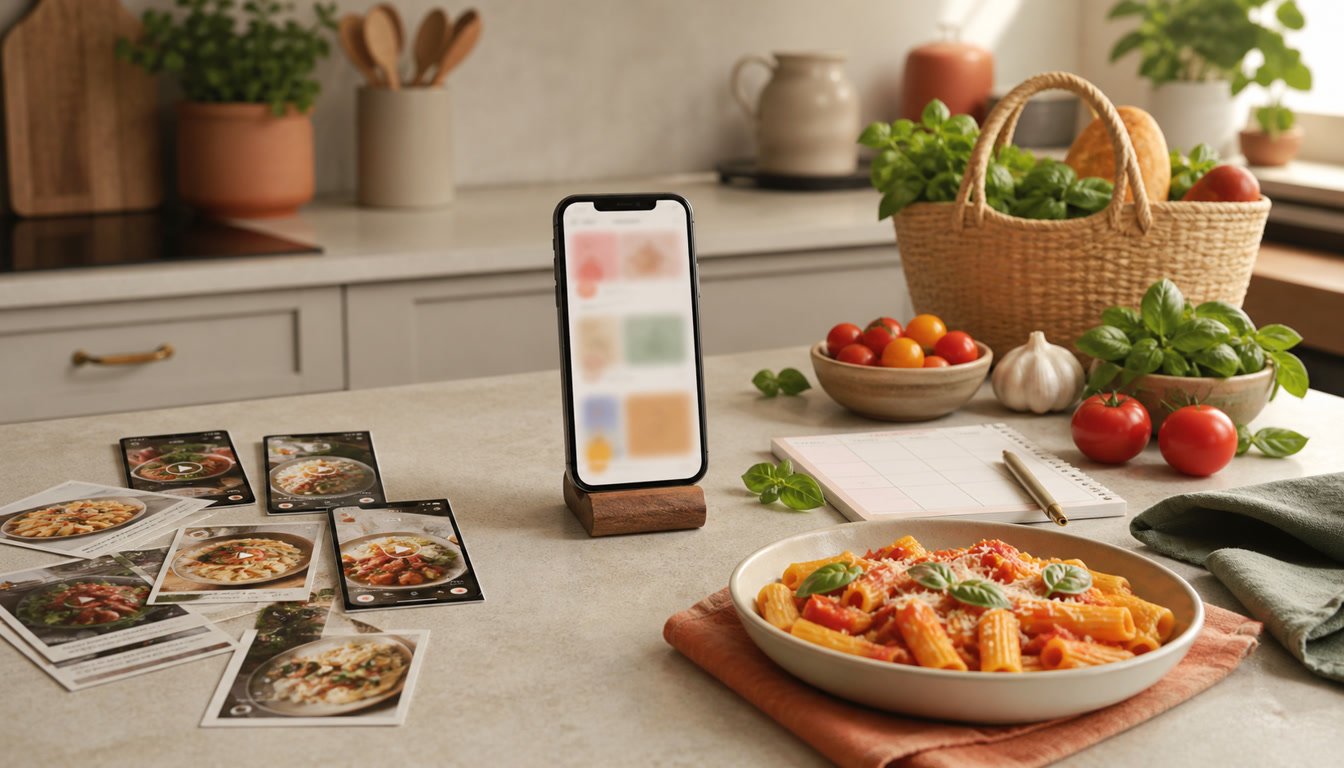
You find a pasta recipe on Instagram, a weeknight curry on TikTok, and a sourdough guide on YouTube. You tap Save three times. Then Tuesday arrives, everyone is hungry, and none of those recipes is where you need it.
That is the real problem a recipe app should solve. Saving the inspiration is only the beginning. A useful app must turn scattered links into recipes you can search, plan, shop for, and actually cook.
ReciMe is a capable recipe organizer with social imports, cookbooks, meal planning, and grocery lists. But it is not the only option. If you are looking for a ReciMe alternative built around the full journey from scrolling to dinner, YumiShare deserves a closer look.
If subscription limits are part of your decision, read our separate guide to ReciMe app cost in 2026.
In this guide, we compare YumiShare vs ReciMe honestly: what both apps do well, where they differ, and which one better fits the way you cook.
Disclosure: This comparison is published by YumiShare. ReciMe details were checked against its official help center on August 21, 2026. Features and regional prices can change, so verify the current offer before subscribing.
Key Takeaways
- ReciMe and YumiShare both turn social posts and websites into organized recipes.
- ReciMe is the stronger choice today if Android or desktop access is essential.
- YumiShare is especially compelling for iPhone users who want the original social video beside clear cooking steps.
- YumiShare connects recipe saving with a weekly planner, aisle-organized grocery lists, pantry tracking, and a focused cook mode.
- ReciMe's free plan currently includes five smart imports every seven days; ReciMe Plus removes that limit.
- The best app is the one that removes the most friction between discovering a recipe and putting dinner on the table.
Table of Contents
- Quick Comparison: YumiShare vs ReciMe
- Why Look for an Alternative to ReciMe?
- Meet YumiShare
- Saving and Cooking Social Recipes
- Meal Planning and Grocery Lists
- ReciMe Pricing and Free-Plan Limits
- Who Should Choose Each App?
- The Verdict
- Frequently Asked Questions
Quick Comparison: YumiShare vs ReciMe
Feature YumiShare ReciMe Import from Instagram and TikTok Yes Yes Import from YouTube, Pinterest, Facebook, and websites Yes Yes Scan a photo or screenshot Yes Yes Manual recipe entry Yes Yes Weekly meal planner Yes Yes Grocery lists organized by aisle Yes Yes Pantry tracking Yes Not highlighted as a core feature Original social video in the cooking flow Yes Not confirmed in the official help pages reviewed Step-by-step cook mode Yes Yes, listed as a premium feature Nutrition information Yes Yes, premium calculation available iOS Yes Yes Android Coming soon Yes Desktop/web app No public web app listed Yes, currently in beta Polish interface Yes Check current regional availability Free smart-import allowance Free imports to start; check the app for the current allowance 5 imports every 7 daysFeatures and plans change. Always check the current in-app offer before subscribing.
Why Look for an Alternative to ReciMe?
Searching for an alternative does not necessarily mean ReciMe is a bad app. Often, it simply means your cooking workflow has outgrown the way you currently save recipes.
Maybe your recipe library starts on social media, but the video disappears once the recipe is imported. Maybe you want your pantry, meal plan, and shopping list in the same calm workspace. Maybe you need a cleaner cooking screen when your hands are covered in flour. Or perhaps you are comparing subscriptions before committing your entire recipe collection to one platform.
There are three questions worth asking before you switch:
- Where do most of your recipes come from? Social video, food blogs, photos, family cards, or a mix?
- What happens after you save them? Do you only collect recipes, or do you plan meals and shop from them?
- Which devices do you need today? An app can have the perfect feature list and still be the wrong choice if it does not run on your phone.
The best ReciMe alternative is not the app with the longest checklist. It is the one that fits your real habits with the fewest awkward steps.
Meet YumiShare: From a Saved Link to Dinner
YumiShare is a recipe saver, organizer, meal planner, and grocery-list app designed for people who discover food everywhere.
Paste a link from Instagram, TikTok, YouTube, Pinterest, Facebook, Threads, a food blog, or another website. You can also scan a cookbook page or screenshot, or type a recipe manually. YumiShare uses AI to turn that source into an editable recipe with a title, ingredients, steps, time, servings, and cover image. If YouTube is your biggest source of inspiration, see our guide to converting YouTube Shorts into recipes.
The important part is what happens next.
The recipe lands in a searchable cookbook. Add it to your weekly plan. Send its ingredients to a grocery list. Check what is already in your pantry. Then open cook mode for large, step-by-step instructions and built-in timers. If the recipe came from social media, you can keep the original clip available while you cook.
It is a simple idea: stop treating recipes as saved content and start treating them as meals you intend to make.
Stop scrolling. Start cooking. Save recipes from TikTok, Instagram, and the web—then plan meals and shop smarter with YumiShare.
1. Save Recipes from the Places You Already Scroll
Both YumiShare and ReciMe support the sources most modern cooks use. That includes Instagram, TikTok, Pinterest, Facebook, and websites. Both can also bring recipes in from images and let you add your own recipes manually.
YumiShare is designed to make this capture step feel native on iPhone. When you spot a recipe, use the iOS Share Sheet to send it directly to YumiShare, or copy and paste the link. The app extracts the useful details and lets you preview and edit them before saving.
That review step matters. AI extraction is convenient, but no importer is perfect. A creator may omit an oven temperature, place an ingredient only in the video, or write quantities for a different serving size. YumiShare keeps you in control before the recipe joins your permanent library.
You can also:
- scan a cookbook page, handwritten recipe, photo, or screenshot;
- edit ingredient groups and method steps;
- add time, servings, tags, categories, and a cover;
- detect likely duplicates before clutter builds up;
- keep remote recipe images from disappearing with the original page.
If your biggest pain is a camera roll full of screenshots, this alone can turn a digital junk drawer into a usable cookbook. Our guide to stopping recipe screenshot clutter explains that workflow in more detail.
2. Keep the Original Video Close While You Cook
Video recipes are brilliant for discovery. They show texture, timing, and technique in a way a recipe card cannot. But a looping 45-second Reel is a terrible set of kitchen instructions.
The usual compromise is frustrating: either cook from the video and pause it with messy hands, or read extracted instructions and lose the visual detail that made the recipe appealing.
YumiShare brings those two formats together. A social recipe becomes a structured recipe card, while the original clip remains available for reference. You can read the next step, start a timer, and revisit the creator's technique without hunting for the post again.
ReciMe's official materials confirm imports from social platforms and guided cooking on its premium tier. The help pages reviewed for this comparison do not clearly confirm whether the original social video remains available inside cooking mode. YumiShare explicitly puts that video-first discovery habit at the center of the cooking experience.
For people whose recipe collection begins with Reels, TikToks, and Shorts, that can be the deciding factor.
3. Turn Your Recipe Library into a Weekly Plan
A well-organized recipe library still leaves one daily question unanswered: What are we eating tonight?
YumiShare includes a weekly meal planner so saved inspiration can become a realistic schedule. Choose recipes for the week, see the plan in one place, and change it when life changes. You are not building a perfect spreadsheet. You are making the 5 p.m. decision easier.
ReciMe also offers a weekly planner and a smart grocery list organized by aisle or recipe. These are genuine strengths, not reasons to dismiss the app.
The better choice depends on the surrounding workflow. If you want the plan to sit beside pantry tracking, social-video cook-along, and receipt tools, YumiShare offers a broader kitchen hub. If you need meal planning across Android today, ReciMe has the practical advantage.
4. Build a Smarter Grocery List
Copying ingredients from five recipes into a notes app is where good meal plans go to die.
YumiShare can build a shopping list from the recipes in your plan. Ingredients are consolidated and grouped by store aisle, helping you avoid three separate entries for onions and fewer return trips across the supermarket. You can also add individual recipe ingredients or ordinary household items.
Pantry tracking closes another common gap. Before shopping, check what you already have. That makes the list more useful and helps prevent the slow accumulation of duplicate spices, forgotten tins, and wilted vegetables.
ReciMe has strong grocery-list features too. Its official overview says the app organizes items by supermarket aisle or by recipe, helping people shop more efficiently.
The question is not whether either app has a checklist. It is how much of your kitchen routine you want to manage in one place.
5. Cook Without the Clutter
Food websites and social feeds are excellent for inspiration, but they are full of distractions when it is time to cook. Ads jump around. Videos loop. Screens dim. The ingredient list vanishes above a long introduction.
YumiShare's cook mode strips the recipe back to what you need now:
- large, readable step-by-step instructions;
- previous and next navigation;
- timers inside relevant steps;
- completion alerts;
- the original social clip when visual context helps;
- no ads and no unrelated feed competing for attention.
ReciMe lists step-by-step guided cooking as a ReciMe Plus feature. For cooks evaluating free tiers, that placement is worth noting. YumiShare's exact free and premium entitlements should likewise be confirmed in the current app, because offers can change over time.
The best cook mode is the one you will actually trust when the pan is hot. Try the same recipe in both apps and notice which interface makes you touch the screen less.
6. Scale Servings and Understand Nutrition
Recipes rarely arrive in exactly the quantity you need. YumiShare can recalculate ingredient amounts when you change servings, so you do not need to double fractions in your head. It can also enrich recipes with calories and macronutrients per serving.
ReciMe similarly supports serving adjustments, measurement conversion, and nutrition calculation. Its current help center identifies nutrition calculation and measurement conversion as premium capabilities.
Nutrition generated by an app should be treated as an estimate, especially when ingredient brands, cooking loss, or serving sizes are unclear. It is useful for everyday planning, but it is not a substitute for professional dietary advice when medical accuracy matters.
7. Organize More Than a Folder of Links
A recipe manager only stays useful if retrieval is easier than saving.
YumiShare lets you group recipes into cookbooks, mark favorites, filter, search, sort, and use categories. A consistent recipe format means a pasta saved from a TikTok can sit beside a scanned family recipe and a soup imported from a blog without your library feeling fragmented.
ReciMe also supports custom cookbooks, search, and cloud sync. It additionally offers broad device coverage: iOS, Android, tablets, and a beta web app. Users who want to manage a library from a laptop should take that advantage seriously, although ReciMe notes that meal plans and grocery lists are not yet available in its web beta.
YumiShare currently supports iOS, while Android is marked as coming soon. If every member of your household uses an iPhone, that may not matter. If you share recipes across mixed devices, it probably does.
ReciMe Pricing and Free-Plan Limits in 2026
According to ReciMe's official help center, the free plan currently includes five smart imports every seven days. Imports from social media, websites, images, and pasted text all count when you save the resulting recipe. Failed imports do not count.
Free users can still manually create recipes, organize cookbooks, make smart grocery lists, and use the weekly meal planner. ReciMe Plus adds unlimited imports, recipe scanning, nutrition calculation, copy-and-paste importing, measurement conversion, exporting or printing, and guided cooking.
ReciMe says subscription pricing varies by country and purchase channel. Its current official pricing example lists the U.S. annual plan at $39.99, but the price shown in your app is the price that matters. ReciMe also advertises a seven-day Plus trial.
YumiShare is free to start. Its cookbook, planner, and grocery lists are described as free, while Premium unlocks unlimited AI imports and scanning. Check the current YumiShare app for your regional price and exact import allowance.
Price matters, but limits matter more. Think about how many recipes you actually import in a normal week. A generous-looking free plan can feel restrictive after one evening of recipe discovery; an unlimited subscription is poor value if you save only two recipes a month.
Who Should Choose YumiShare?
YumiShare is a strong ReciMe alternative if:
- you use an iPhone;
- most of your inspiration comes from Instagram, TikTok, YouTube, or Pinterest;
- you want clear instructions without losing the original video;
- you want recipe saving, planning, groceries, pantry tracking, and cooking in one app;
- you prefer a calm interface with light and dark modes;
- you want an app available in English and Polish;
- you like to review and edit AI-imported recipes before filing them away.
YumiShare is especially suited to the person with hundreds of social saves and very few cooked results. Its purpose is not to help you collect more content. It is to shorten the distance between inspiration and dinner.
Who Should Stay with ReciMe?
ReciMe may be the better fit if:
- you need Android support right now;
- you want to view and edit recipes from a desktop browser;
- you already have a well-organized ReciMe library and the workflow works for you;
- five free imports per week comfortably cover your needs;
- you rely on a specific ReciMe feature not currently available in YumiShare.
Switching apps creates work. Do it because the alternative solves a recurring problem, not because a comparison table declares a universal winner.
How to Test a ReciMe Alternative Before Switching
Do not migrate your whole digital cookbook on day one. Run a simple real-world test instead.
Step 1: Import the same three recipes
Choose one Instagram Reel, one ordinary food blog, and one photo or screenshot. Compare extraction accuracy, editing effort, and cover quality.
Step 2: Build one weeknight plan
Add two or three recipes to the week. Notice how quickly you can rearrange them and whether the planner shows the information you need.
Step 3: Generate a grocery list
Check whether duplicate ingredients are consolidated sensibly and whether aisle grouping matches how you shop.
Step 4: Cook one social recipe
This is the most revealing test. Can you move through the steps with minimal tapping? Is the original video easy to reference? Do timers help?
Step 5: Check your devices and household workflow
Make sure everyone who needs access can use the app. Theoretical features do not compensate for missing platform support.
After one week, you will know more than any feature list can tell you.
The Verdict: What Is the Best ReciMe Alternative?
For iPhone users who discover recipes on social media and want a complete path from save → plan → shop → cook, YumiShare is one of the most compelling ReciMe alternatives in 2026.
It turns links, videos, screenshots, and cookbook pages into editable recipes. It keeps those recipes organized. It connects them to a weekly meal plan, smart grocery lists, pantry tracking, and a focused cook mode. Most importantly for video-first cooks, it lets the original clip stay useful without forcing you to cook from a looping feed.
ReciMe remains a solid choice, especially for Android users and anyone who needs desktop recipe access today. The honest answer is not that one app wins every category. It is that YumiShare offers a distinct, calmer workflow for people who are tired of saving recipes they never cook.
Your recipe collection should not be a graveyard of good intentions.
Save it. Plan it. Shop for it. Cook it.
Ready to turn your saved posts into real meals? Download YumiShare for iPhone and build a cookbook you will actually use.
Frequently Asked Questions
What is the best ReciMe alternative?
YumiShare is a strong ReciMe alternative for iPhone users who save recipes from Instagram, TikTok, YouTube, Pinterest, and websites. It combines AI recipe import with cookbooks, weekly meal planning, grocery lists, pantry tracking, nutrition, and a cook mode that can retain the original social video. Android users should note that YumiShare's Android version is still listed as coming soon.
Is there a free alternative to ReciMe?
YumiShare is free to start, with its cookbook, meal planner, and grocery lists described as free. Premium is available for unlimited AI imports and scanning. ReciMe also has a free plan, currently allowing five smart imports every seven days. Check each app for current regional prices and allowances before deciding.
Is YumiShare better than ReciMe?
It depends on your priorities. YumiShare is especially attractive for iPhone users who want a video-first social recipe workflow, pantry tracking, and a focused path from saving to cooking. ReciMe has a practical advantage for Android and desktop users and also offers mature planning and grocery features.
Can YumiShare save recipes from Instagram and TikTok?
Yes. Share a post to YumiShare through the iOS Share Sheet or paste its link into the app. YumiShare can extract the title, ingredients, steps, time, servings, and cover into an editable recipe. It can also import from YouTube, Pinterest, Facebook, Threads, blogs, and other websites.
Can I import recipe screenshots into YumiShare?
Yes. YumiShare can scan a photo or screenshot and turn the visible recipe into an editable, searchable entry. Review the result before saving, especially when the source image is cropped, blurry, or missing information.
Does YumiShare include meal planning and grocery lists?
Yes. You can add recipes to a weekly meal plan and build a grocery list from the ingredients. Lists are consolidated and grouped by store aisle. YumiShare also includes pantry tracking so you can account for ingredients you already have.
Does ReciMe have a free plan?
Yes. ReciMe's official help center currently says free users receive five smart imports every seven days. Manual recipes, cookbooks, meal plans, and smart grocery lists remain available on the free tier. Premium adds unlimited importing and other advanced features.
Does YumiShare work on Android?
Not yet. YumiShare currently advertises iOS availability and says Android is coming soon. ReciMe already supports iOS and Android, so it is the more practical option if you need Android access immediately.
Can I use YumiShare on a computer?
YumiShare does not currently advertise a public desktop web app. ReciMe offers a beta web app for importing, viewing, and editing recipes, although its help center says meal plans and grocery lists are still coming to the web version.
Will AI import every recipe perfectly?
No recipe importer is perfect. Social creators may leave quantities out, show an ingredient only on screen, or skip a step. Treat AI import as a fast first draft and review the recipe before saving or cooking it.